new smiley's unclean
-
Just did a blog post using the new smileys, and they all have black dots just to the left of them. Also the same for old posts with smileys on. Some kind of bug with the new smileys I think.
The blog I need help with is: (visible only to logged in users)
-
I just have blank spaces in all my old posts that had smileys. They work in the comments, but not in my texts.
-
-
I’ll tag this thread for a Staff follow-up. Please subscribe to the thread so you are notified when they respond and please be patient while waiting.
Please provide links to posts and/or pages so Staff can see what you describe. Or post screenshot, upload it to your Media Library, and return to this thread to provide the file name so Staff can examine it.
-
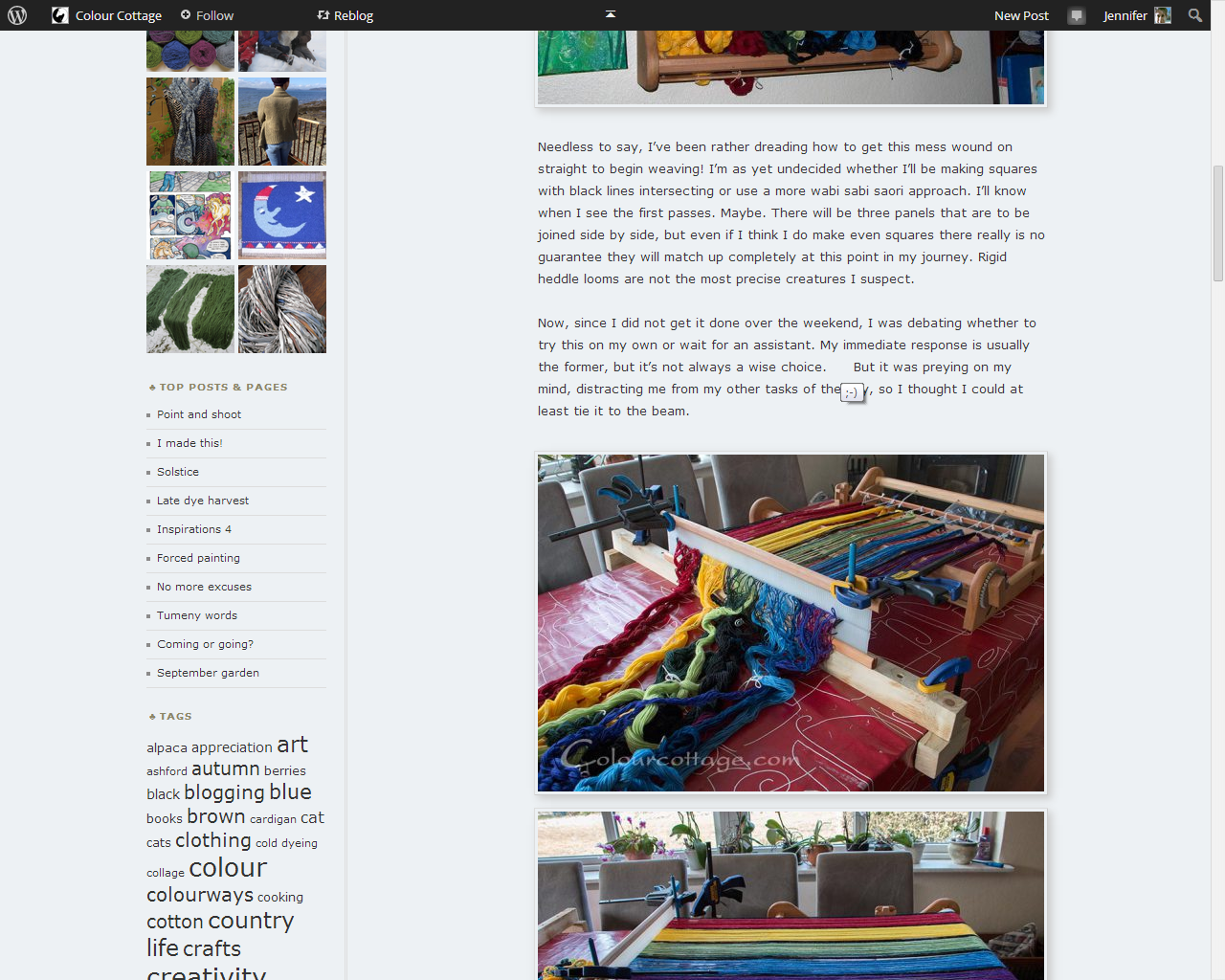
This post is supposed to have a smiley in the 4th paragraph after the word “choice”. I see a space only. Yes I’ve had smileys turned on all the time and I checked that they were.
-
When it comes to kwdickinson’s blog it looks like the text smileys are not converted, the images are in fact superimposed on the text as a layer, and with that particular font, the letters show.
-
I would personally hate to have to change my theme to be able to use smileys. I put too much effort into my menu to keep rebuilding it.
-
When I mouseover the blank space, I get the yellow popup alt tag for the image, ie the text smiley. I bet it’s a theme specific image thing for various blogs, what I don’t get is why my text smiley is hidden, while kwdickinson’s is showing behind the image smiley.
I use Firefox btw.
-
@colourcottage – I’m guessing because the “smiley” you are using in this post http://colourcottage.wordpress.com/2014/03/17/warp-speed/ has included a dash for the nose. :) (screenshot)
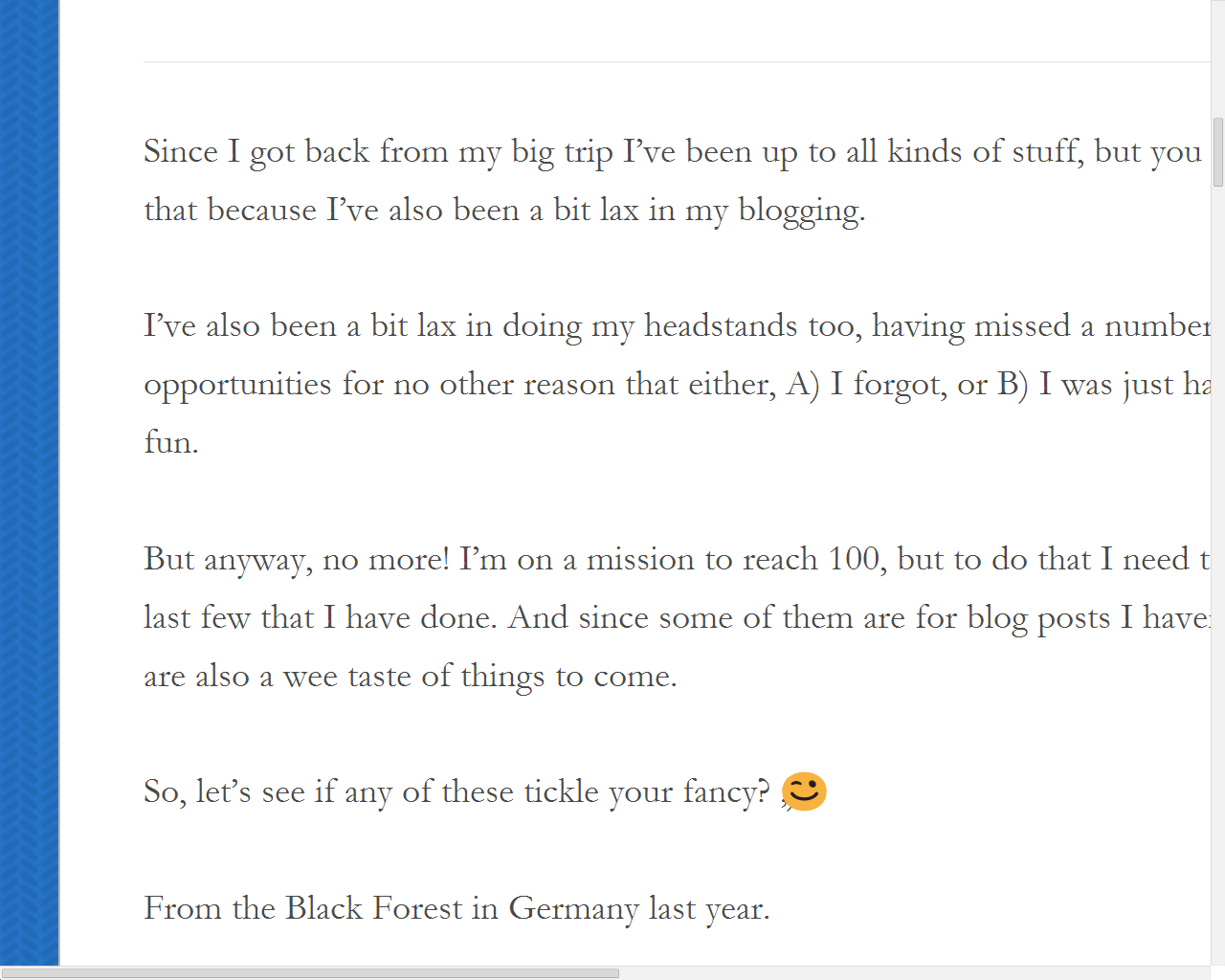
@kwdickinson – when I zoom your post http://yogabumuk.wordpress.com/2014/03/19/a-taste-of-things-to-come/, it almost looks like the image is sitting on top of the text icon. (screenshot)
Regardless, this post has been tagged for Staff assistance. They have a massive backup of posts waiting for them right now so please be patient while waiting for them to reply.
-
it almost looks like the image is sitting on top of the text icon. (screenshot)
I think that is what’s happening, it looks like they are using a span to cover the text ;) with an image:
<span class='wp-smiley emoji emoji-wink' title=';)'>;)</span> -
Justjennifer, as far as I have gathered, it works with a dash too, when it works. In the comments for instance. Otherwise all old posts with smilies across wp would now have a problem!
I also tried removing the dash in my current draft last night before commenting here, as well as adding some of the new smileys, and that doesn’t work either.
-
Baaahahahaha – I found the missing smiley in the post linked above. It’s glued to the left edge of the browser, far, far away from the text.
A span/div tag placement issue, then.
-
A preview of my draft with multiple smilies shows 1 smiley hovering to the left, the others are still spaces in the text, with hover tags.
-
Baaahahahaha – I found the missing smiley in the post linked above. It’s glued to the left edge of the browser, far, far away from the text.
A span/div tag placement issue, then.
/head-desk
Guess we need to wait for Staff to intervene then, so don’t “bump” this tread unless you have new information to give them. Each time we bump this thread it pushes it down in their very long queue.
-
Thanks for the ping justjennifer, and thanks for the report kwdickinson. I have pushed a fix that should hopefully alleviate the layout errors you’ve been seeing. Please refresh the page. Sorry about that.
-
-
When I posted a blog post yesterday, the smileys were different. And now I see that every smiley from previous post looks the same..
I really don’t like the look on the “new” smileys, how can I get the old ones back? They look very weird :p -
Mine are all different too and I don’t like them.
Also, when I hover over the circled W in the upper left corner where I could select Notification, Reader, Settings etc. from the dropdown menu, Stats had always been a choice and now that’s gone.
-
Your stats are at http://wordpress.com/my-stats/
That’s 2 links to the left of the big W logo -
If I hover over the big W in the upper left corner I get a dropdown menu offering 6 choices, New Post, Reader, Notifications, My Blog, Freshly Pressed, and Settings.
Prior to yesterday I always had 7 choices with Stats being the 7th. Now it’s no longer there.
This is the situation on both Firefox and IE.
It’s not a huge big deal, I can still access Stats by clicking on Notifications first. But it’s odd that the choice would just suddenly disappear.
There is nothing to the left of the W in the upper left corner on my blog phillanoue.comAlso any reason why the smileys all suddenly look different? That started the same time my Stats option disappeared.


- The topic ‘new smiley's unclean’ is closed to new replies.
 WordPress.com Forums