

New Theme hid like/comment option on posts
-
I recently chose the new theme “Bushwick” and paid the $30 to be able to customize my blog. This theme seems to have hidden the like/comment buttons at the end of my posts so readers aren’t able to like or respond to them. I’ve been trying to fix it but can’t figure out how to get them back.
Also, I was wondering if it’s possible to install twitter/facebook buttons at the bottom of my posts for readers to share them.
But most importantly, I’d like the like/comment options back!!
Thank you for your help!
The blog I need help with is: (visible only to logged in users)
-
Hi there,
The comment box and sharing buttons are currently appearing at the bottom of all of your single post pages as shown here:
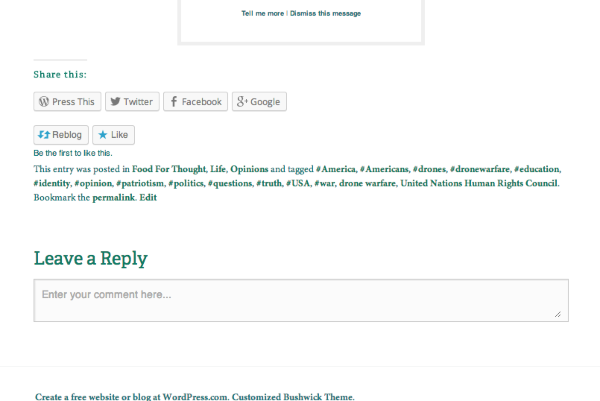
I believe you’re looking for a comment link on your home page that takes users straight to the comment section for a post. That currently isn’t possible on the Bushwick theme. Readers will need to comment from an individual page or post.
If you would like, you can enable the sharing buttons on your front page by navigating to your Sharing settings here:
https://verbalrevolution.wordpress.com/wp-admin/options-general.php?page=sharing
From that page, make sure Front Page is selected under “Show buttons on”.
Let me know if you need anything else!
-
-


- The topic ‘New Theme hid like/comment option on posts’ is closed to new replies.
 WordPress.com Forums