

Nikau take 2
-
hi @dcoleonline, I have included the code but it ends up deleting the blog entirely, and distorts the header so its off centre; both the heading and the menu and the heading is split. I am working on chrome and also safari and its the same effect… any ideas?
its odd having looked at the theme demo page the header appears on the category pages as well as the home. I am playing around with it to see what I might be doing wrong as I would like the header on all the pages as its the site identity
One more thing on the space, I would like to move the header down a little bit so its not so high up on the page I have looked at the code and cannot find one that allows that.
thanks so much for reaching out I appreciate your help
-
it ends up deleting the blog entirely, and distorts the header so its off centre
Hmm, I’m not seeing that at all.
Here’s what it looks like in your customizer if a header (I just chose one you’d uploaded) is applied and all of the code is added:
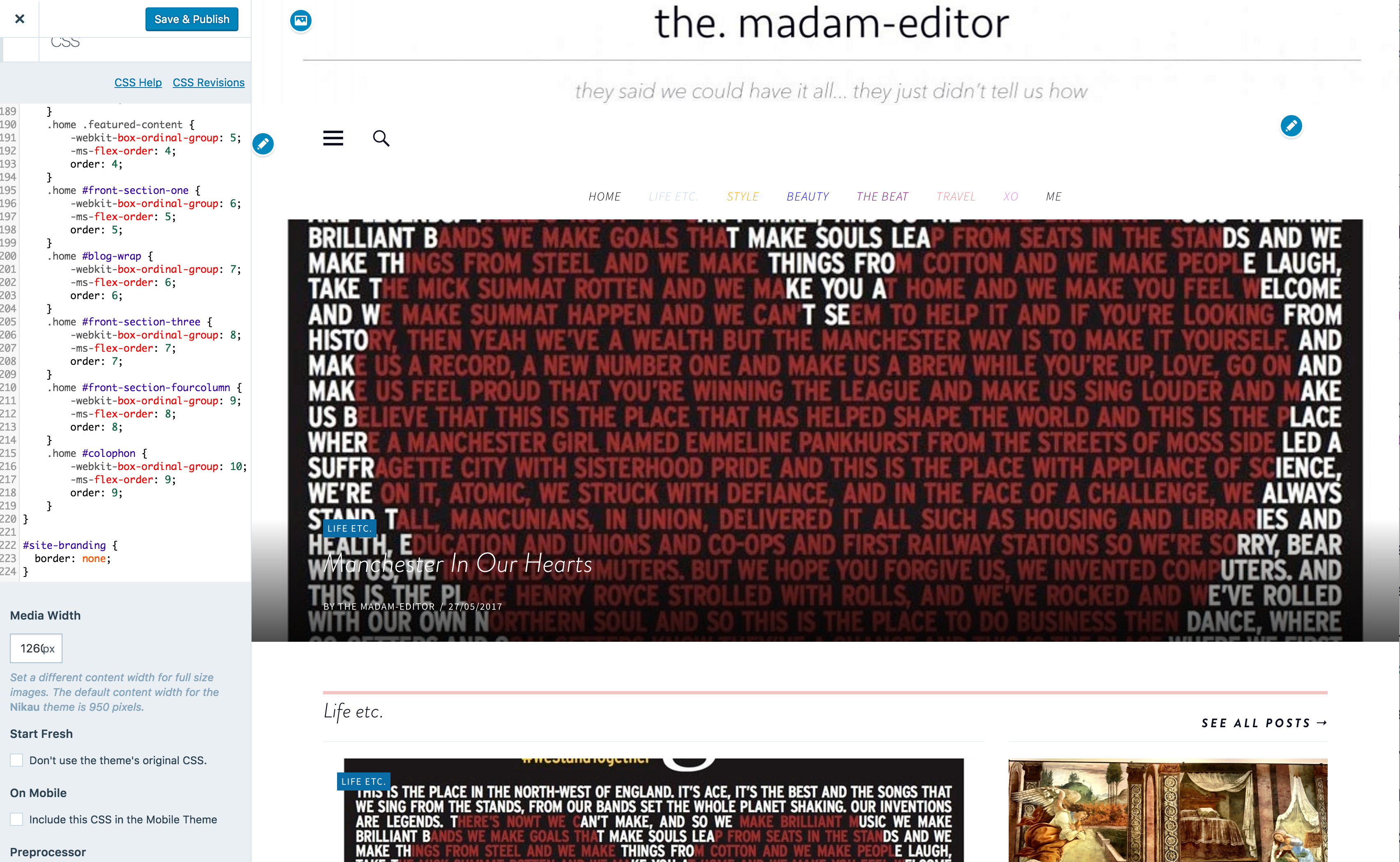
I didn’t save any changes.
If you want to copy the code in its entirety, you can get it here:
https://pastebin.com/raw/fyYAHgWi
Then you can replace all of the CSS in your site with that and see how it looks in the customizer.
looked at the theme demo page the header appears on the category pages as well as the home
Hmm, so there isn’t a header image on the category pages of the demo:
https://nikaudemo.wordpress.com/category/learning/The word Nikau there is just the site title.
One more thing on the space, I would like to move the header down a little bit so its not so high up on the page I have looked at the code and cannot find one that allows that.
Right now you aren’t using a header image at all. Could you add one and then I can have a look?
-
Hi @dcoleonline-
you are right. I played around with with and found there was distinction with the header and site title I have reverted back to having the title as I would like it on all other pages not just the home page, the only issue is the tag and title are both quite small because of the preferred heading front- if I could isolate and make it larger that would be grand. It seems this way is a lot less hassle, so there would be no need in using the header.
I am conscious of the time it has taken to get this far of which I am appreciative of the response.
thank you
-
Hi again!
if I could isolate and make it larger that would be grand
The font size for these change depending on the width of the browser.
Here’s the current code for a somewhat narrow browser:@media screen and (min-width: 37.5em) { .wf-active h1.site-title { font-size: 42px; } .wf-active p.site-description { font-size: 8.4px; } }You can change the sizes to your preference.
For wider screens like desktops/laptops, this is the current CSS:
@media screen and (min-width: 66.25em) {
    p.site-description {
        font-size: 12px;
    }
}
It only specifies a size for the tagline, but if you want to make the title larger on wider screens you can just add a rule for that. It may be easier to simply copy the first bit of code in this reply and change the min-width and font-size numbers. If you do that, the min-width would still be 66.25em for the wider view.
Let me know if this helps.
-
yes this helps.
I really want to thank you both so much for taking the time to help out and answer all of my questions its very much appreciated.
thanks
Annalisa -


- The topic ‘Nikau take 2’ is closed to new replies.
 WordPress.com Forums