

No automatic scrolling on drop down menu items requiring users to use down arrow
-
Drop down menu list stops at bottom of screen and doesn’t have automatic scrolling.
The blog I need help with is: (visible only to logged in users)
-
Hi there,
Can you please clarify what’s going on? Currently I see that your Members Gallery tab is pretty long, and I was able to scroll down to see the last member as seen in this screenshot below:
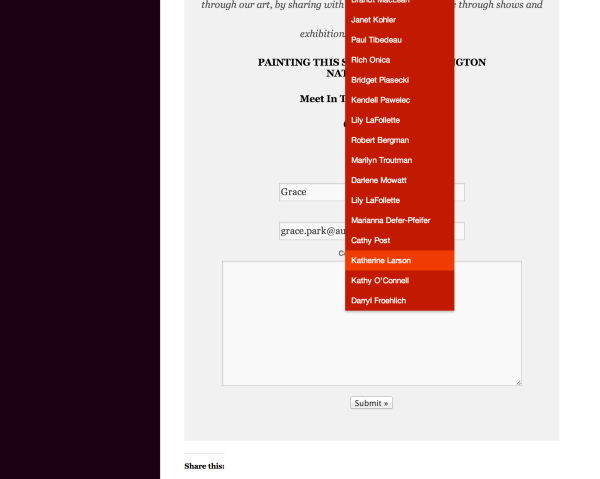
If you mean something else, can you please provide me a screenshot of your issue and upload that to your Media > Library? I’d be happy to take a further look!
Cheers!
-
Thanks for the reply! It’s a minor issue but when my users select the drop down menu, because of its length, it doesn’t display completely. If they move their mouse pointer down the list their ability to scroll stops at the bottom of their screen, vs. continuing to the bottom of the list. Users are then forced to use their keyboard down arrows or, alternatively, if available, the scroll wheel on their mouse. It seems since this screen behavior is atypical compared to most of the sites they’re used to, it’s led to confusion.
-
Hi there,
I see. Unfortunately, I don’t see how we can change this purely with CSS. If you would like to shorten the list by creating another menu tab and splitting the list!
Cheers!
-
-


- The topic ‘No automatic scrolling on drop down menu items requiring users to use down arrow’ is closed to new replies.


 WordPress.com Forums