Not connecting to existing Google profile
-
I am trying to connect to my google plus profile https://plus.google.com/u/2/117947900162840457367/posts but when I click the connect button on the sharing page it asks me to set up a new google plus profile rather than connecting to my existing one. Is there any way I can direct my website to connect to my existing google plus profile?
The blog I need help with is: (visible only to logged in users)
-
I see a connected Google+ account within your Publicize settings now. Were you able to get this to work since you posted here, or are you still having difficulties with this?
-
I can get the publicize to work easily as I just enter the correct details. It is the Google+ profile button below this that asks me to create a new account … where it says:
Google+ Profile
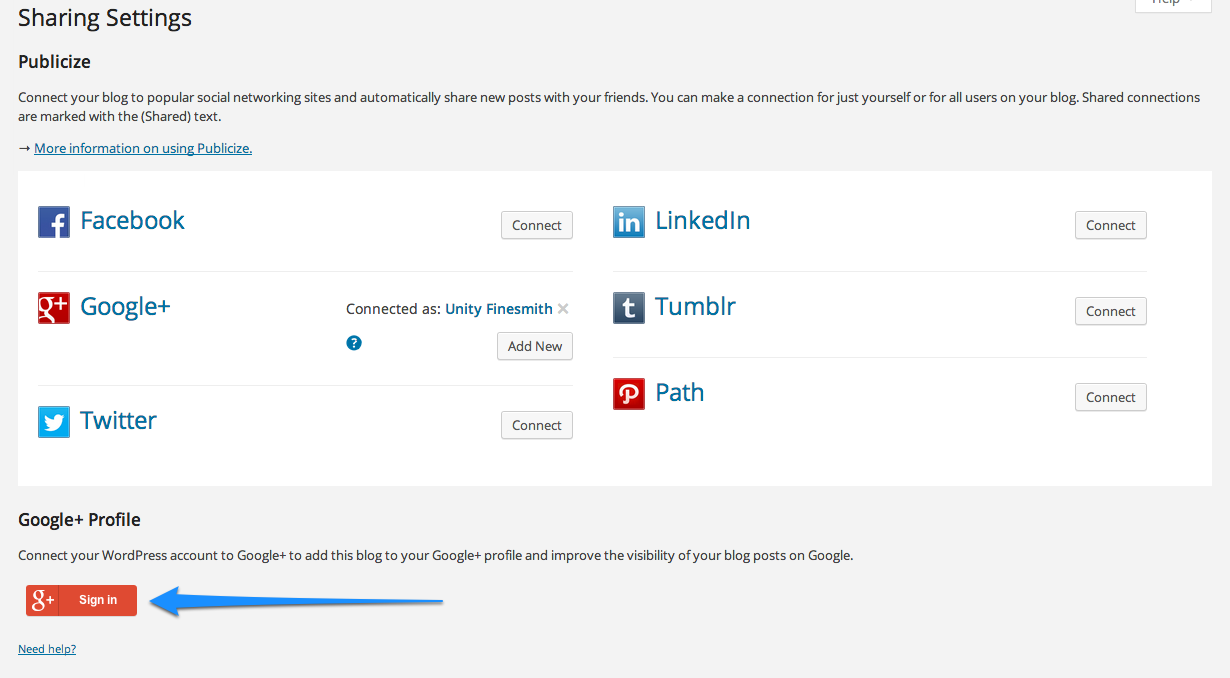
Connect your WordPress account to Google+ to add this blog to your Google+ profile and improve the visibility of your blog posts on Google.When I click the button it doesn’t go to my existing Google+ account, which is the one I have connected to in the Publicize section, but instead asks me to set up a new account.
-
To clarify:
When you go to your Sharing Settings (http://unityfinesmith.wordpress.com/wp-admin/options-general.php?page=sharing ), are you clicking on the button that I have indicated with the arrow, here:
https://i.cloudup.com/M3WfHF2igD.pngAnd if so, do you see this:
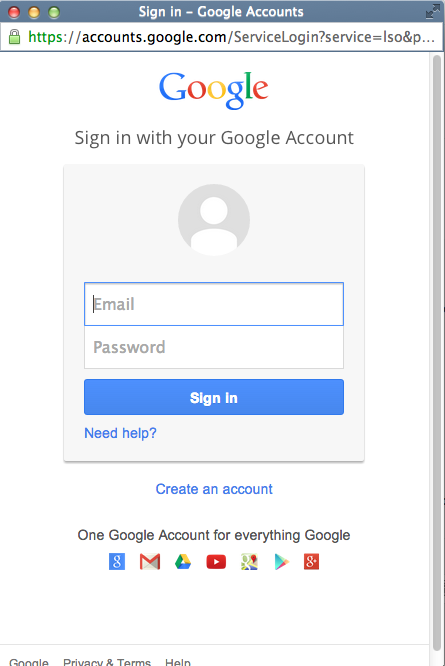
https://i.cloudup.com/SqiNqt1CGj.pngIf that’s the case, try to enter your existing Google/Gmail/G+ credentials there and see if it connects properly for you.
-
Yes, I am clicking the correct button and no, I don’t see that page where I can sign in. Instead, it seems like it starts to open that page then flicks to a larger screen to create an account with the name Jenny Marshall already filled in. My Google+ account is Unity Finesmith but there is nowhere to log in to this account.
-
Do you happen to share your computer with anyone? Do you know who Jenny is? It sounds to me like someone else is logged into Google/Gmail and the form is picking up a cookie. When I tested your site, I was given the login box as I indicated with the screenshot.
You might also try the following to see if any of these clear out the form:
1) try a different browser like Firefox or Safari
2) logging into WordPress.com in an incognito window
3) Running Chrome without any extensions enabled
4) Clearing your browser cache and the specific browser cookies for Google:
https://support.google.com/chrome/answer/95647
http://en.support.wordpress.com/browser-issues/#clear-your-cache-and-cookiesLet me know if any of those steps fix the issue, or if you’re still stuck.
-
Brilliant! That worked perfectly.
I think it was just picking up Jenny’s details automatically. Using a different browser allowed me to enter my account details.
Thanks very much for all your help – much appreciated. All fixed now.
-


- The topic ‘Not connecting to existing Google profile’ is closed to new replies.
 WordPress.com Forums