

Only one particular Instagram photo won't appear when embedded
-
It is the damnedest thing. There is one photo on Instagram that won’t appear in previews or on the site, but all other ones will. Here are the relevant URLS. These ones *will* load properly:
http://instagram.com/p/sZrbnNLuYB/
http://instagram.com/p/smpV6ZruSs/But this one doesn’t:
http://instagram.com/p/smqWxcLuUe/Any ideas what’s going on here?
The blog I need help with is: (visible only to logged in users)
-
Hey there, Graham!
Could you give me a link to the page or post where the Instagram image is not appearing correctly? And a link or two to where the Instagram images ARE behaving correctly? Then, I can better troubleshoot this issue for you.
Thanks much!
-
Hey there!
Thanks so much for the link to the post!
I do see the working, embedded Instagram link.
The second one isn’t working because it’s not a valid link on Instagram:
http://instagram.com/p/smqWxcLuUe/Did something get cut off in the copy/paste process, perhaps? Or did you delete the Instagram image?
Let me know! Thanks much.
-
Oh well this is very odd indeed – I’m noticing that that link works for me when I’m logged in, and doesn’t if I’m logged out. My guess is that this is because in general my Instagram account is protected.
BUT if that’s the case…why do any of the pictures work at all?
-
Whoa I just figured it out! So it turns out that the other two were visible because I’d shared them with facebook and/or twitter, which apparently “unlocks” that photo for public viewing. I tried sharing that one that wouldn’t work with Twitter…and now it appears! Give it a try now.
-
That did the trick!
Now that you’d made all those images public, they are viewable on your post. That “broken” image can now be seen:
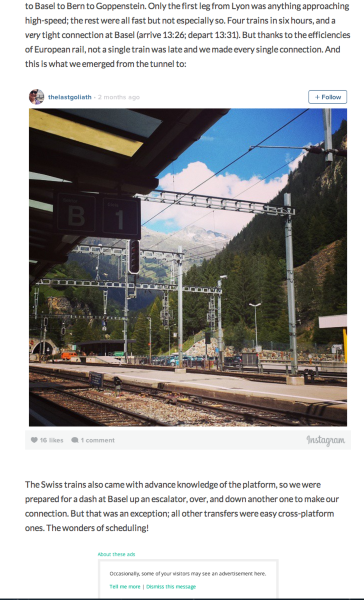
If by any chance you’re not able to view it, you may need to clear your cache first:
You’ve figured out the issue on your own: if your Instagram images are to work properly, they must be made public first. Good to know!
Please let us know if you have any other questions. Thanks much!


- The topic ‘Only one particular Instagram photo won't appear when embedded’ is closed to new replies.
 WordPress.com Forums