

Pages
-
Where will the user find my pages in my website?
The blog I need help with is: (visible only to logged in users)
-
Hi @drsvshukla,
You can find all your pages of your website by going to My Sites → Pages or just click this link: https://wordpress.com/pages/Hope this helps :)
-
If you are worried about visitors find your pages then, you need to add your pages to your menus.
Read more about adding pages to your menus here:
https://en.support.wordpress.com/menus/view-all/Thanks!
-
CORRECTION:
If you are worried about visitors finding your pages then, you need to add your pages to your menus.* -
To add to the good info otpidusprime provided, I just wanted to point out that the theme you’re using, Intergalactic, tucks the menu away under a toggle icon that looks like three lines at the top right:

Once you click to open it, you’ll see your custom menu at the top:
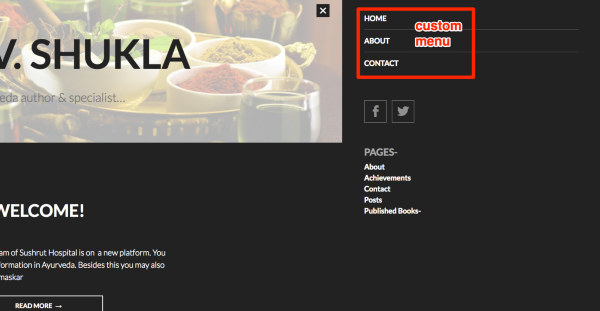
If you’d like to add items to that menu, follow these steps:
- Open your Customizer
- Click the Menus panel to open it
- Click Primary to open the primary menu
- Click “Add items” to add a new page, and follow the prompts from there to select your pages
- Click “Save and Publish” when you’re done adding items to your menu
If you need further help, just let us know!


- The topic ‘Pages’ is closed to new replies.
 WordPress.com Forums