

Phone number change
-
Where can I change the phone number associated with my account? It’s currently associated with an old number of mine – luckily the new owner of the number was kind enough to send me the sms verification code required to get into my account. Now I am trying to find where in my account that old phone number is so that I can update it – I can’t find it anywhere.
WP.com: Yes
Correct account: YesThe blog I need help with is: (visible only to logged in users)
-
Hi there!
Can you let us know the URL of the site where you’re having this problem? Once we have that information, we’ll be better able to advise.
Thank you!
-
It’s for savejeffhavard.wordpress.com AND every other website I’ve created under the username endsolitary.
-
Thanks for confirming!
The phone number is tied to your two-step authentication and the settings for that can be found here:
https://wordpress.com/me/security/two-step
NOTE: you will need to get another text to your current (old) phone number in order to disable it because you’ll be prompted for another verification code, so hopefully you’re still in touch with that helpful person to get that second code.
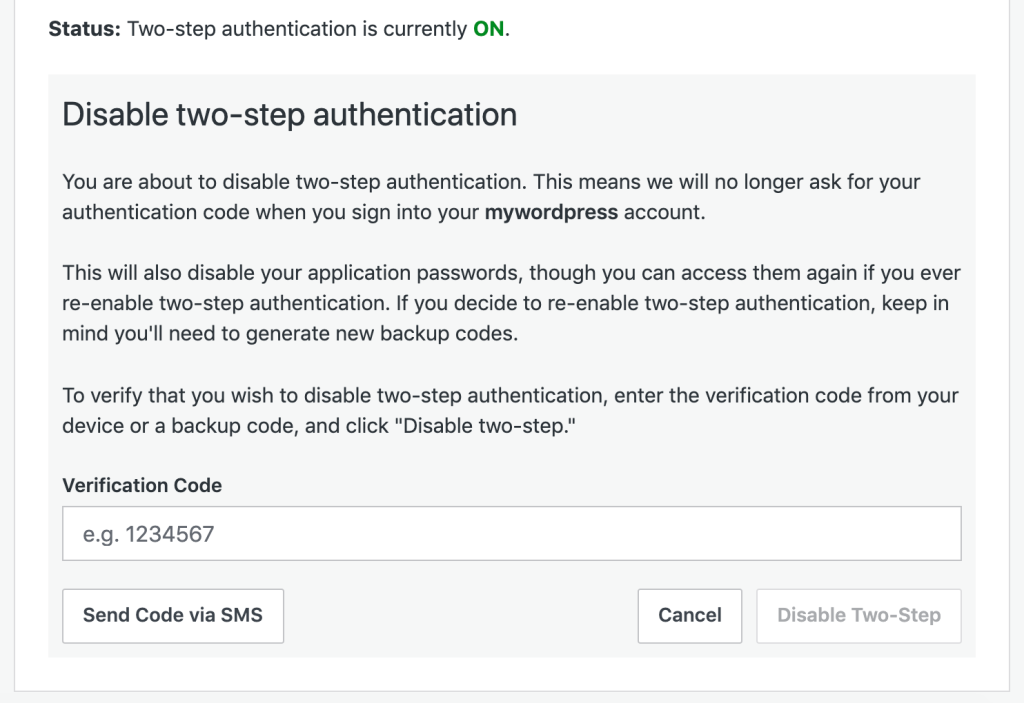
Then, you can set it up again using your new number by following the steps here:
https://wordpress.com/support/security/two-step-authentication/#set-up-two-step-authentication
I also highly recommend you print out and save your backup codes when you set it up again – those backup codes can be used if you lose your phone or change numbers and prevent this issue in the future.
I hope that helps!


- The topic ‘Phone number change’ is closed to new replies.
 WordPress.com Forums