

.png
-
Hi there,
I’m trying to upload a .png with a transparent background. When I try to upload it from my desktop, I get an error that it cannot upload for security reasons, and its renames it as a .tif. If I try to upload it from iPhoto, it works, but when I go to use it the background is not transparent. I saw on your support pages that another theme has a bug with .png transparency…is that the case with my there? (Ever After)
The blog I need help with is: (visible only to logged in users)
-
Hi there,
I just uploaded a .png with a transparent background and set it as the background on another blog with the Ever After theme, so from what I’m seeing there isn’t a bug in the theme itself.
You mentioned getting an error when you try to upload the .png file, though — could you copy and paste the exact error message here? I can investigate that for you.
-
Thank for your help Rachel! Here is the error:
sig2.tif” has failed to upload due to an error
Sorry, this file type is not permitted for security reasons.Keep in mind this is a .png, not a .tif.
-
Hi there,
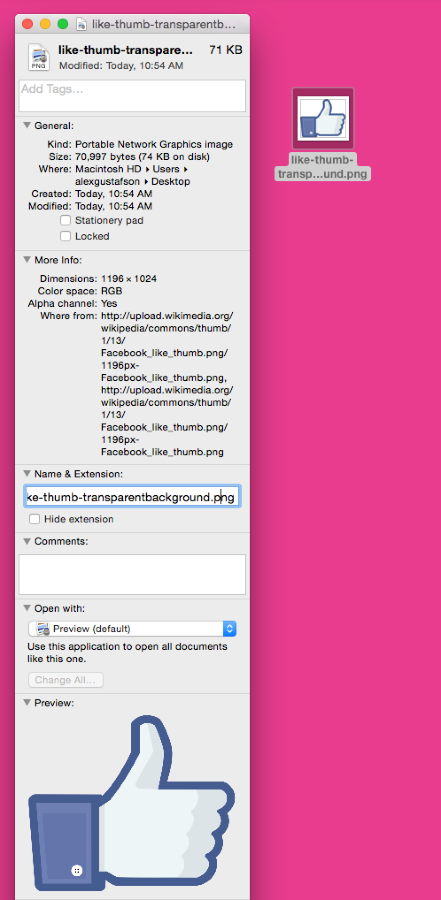
Can you export the image file out of iPhoto onto your desktop, and then select “get info” for the image and take a screenshot of what you see for the image? Once you have the screenshot image, upload it to your media library so I can take a look.
The media uploader has to be grabbing .tif from somewhere, and perhaps we can see it in that view.
Example:
-Alex G.
-
-
Hi there!
Thanks for providing the screenshot. It didn’t have info as I’d hope, however I did notice in your media library you have another PNG file named ‘sig3’ . Is this the one you uploaded directly from iPhoto?
I tested that file out about and it appears the transparency should work:
But it’s not working on this test post I made:
https://funnylittlefarm.wordpress.com/?p=217&preview=true
But trying it out on a blog running Twenty Fiften it worked okay:
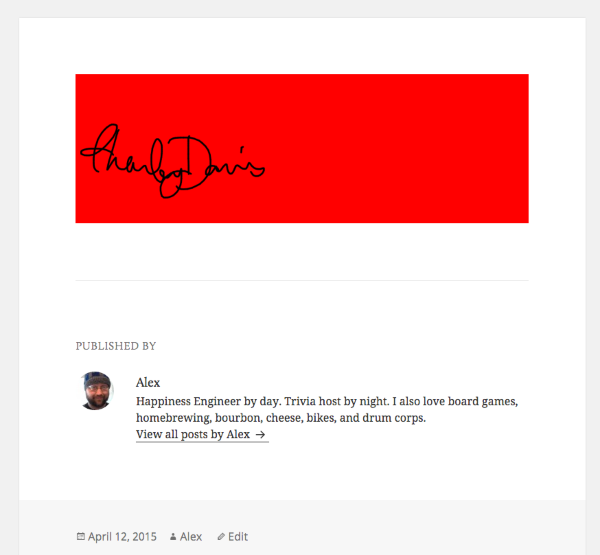
This leads me to believe that there is indeed a bug with Ever After and transparency, but that your image is fine directly from iPhoto.
Still trying to figure out what would ever cause the image to be seen as a .tif though.
-Alex G.
-
Here’s a temporary fix, for your Welcome post. Edit the post and view it in the HTML editor. Your content currently looks like this:
…
Funny Little Farm is a blog about being self sufficient, about food, fun, small-scale farming, and being prepared. We have a great time here on the farm, and I hope our adventures can help you on your Funny Little Farm as well. Look for new content each week!

<a href="https://funnylittlefarm.files.wordpress.com/2015/04/sig3.png"><img class="alignnone size-thumbnail wp-image-52" src="https://funnylittlefarm.files.wordpress.com/2015/04/sig3.png?w=150" alt="sig3" width="150" height="109" /></a>

Charley Davis
…
Please change it to the following, and the transparency will work
…
Funny Little Farm is a blog about being self sufficient, about food, fun, small-scale farming, and being prepared. We have a great time here on the farm, and I hope our adventures can help you on your Funny Little Farm as well. Look for new content each week! <a href="https://funnylittlefarm.files.wordpress.com/2015/04/sig3.png"><img style="box-shadow:none;background:transparent;" class="alignnone size-thumbnail wp-image-52" src="https://funnylittlefarm.files.wordpress.com/2015/04/sig3.png?w=150" alt="sig3" width="150" height="109" /></a> Charley Davis -
Thanks Alex. I did try uploading from iPhoto, sig3. It didn’t work either. I’ll try your temporary fix. Do you think that this is something that can be resolved? I have my sig after every post…
-
Hey there!
Certain themes add a background color to images. Ever After is one of those. The background to all images is white by default.
The only way to adjust this permanently, without having to change each photo as you add it to your posts, is to change the CSS code for your theme.
If you’re interested in this upgrade, you can check it out here:
http://en.support.wordpress.com/custom-design/Should this be the direction you decide upon, you can drop us a note, and we can help you with the code that will make your image backgrounds transparent.
As Alex mentioned early, should you choose NOT to go in this direction, you do always have the manual fix.
I hope this provides you with the information you need. Should you have any other questions, please do let me know.
Many thanks!


- The topic ‘.png’ is closed to new replies.
 WordPress.com Forums