

Portfolio posts and blog posts set up?
-
Hello,
I need help with setting up my premium theme Bindery. I have 2 questions:
1. I have set the main page, called “portfolio” as a static page and I have posted one portfolio post on this page. I should be able to click this image thereby making the image move to the right with descriptions on the left and yet it does not do this. According to the Bindery instructions if I add a ‘gallery’ option to this portfolio post then it would do what I described above, but I have no idea of how to add this option and do not see this option anywhere. How do I add this option and do i have to do it with each portfolio post?
2. My next question is that I have set up a page in the second menu location called, “Blog” this is where I would like my blog posts to end up (not portfolio posts). Yet when i go to the blog section, it says ‘page cannot be found’. I had an original page that had been deleted. I cleared the history on chrome, but that did not effect the fact that the ‘blog’ page seems to be missing.
How do I make my ‘blog’ page appear as not missing and how do I make it so that this is where all of my blog posts end up?
I have spent 4 hours so far trying to figure this out.
Please help me!The blog I need help with is: (visible only to logged in users)
-
1. I have set the main page, called “portfolio” as a static page and I have posted one portfolio post on this page. I should be able to click this image thereby making the image move to the right with descriptions on the left and yet it does not do this.
This is because you haven’t added any text to the portfolio project. If you add a description of the painting in the same box as the painting, the page will work as expected. Try moving your expert into the same box as the image and you will have better luck.
2. My next question is that I have set up a page in the second menu location called, “Blog” this is where I would like my blog posts to end up (not portfolio posts). Yet when i go to the blog section, it says ‘page cannot be found’.
This was a tricky one :)
The page you had linked in your menu was labeled “blog” in your menu but the link actually went to http://myheartisatree.com/about/–which is a page that doesn’t exist anymore.
I switched out the fake blog page for the real blog page in your menu so that’s working as expected now.
Let me know if you have any more questions, or if the suggested changes to the portfolio projects doesn’t go as planned.
-
Hello,
Thank you for fixing the blog page it works now.
I have already added text to the portfolio page. In the edit box it has an area for “excerpt’ and that has text.According to the instructions for this theme found here:
http://help.pixelunion.net/customer/portal/articles/1820339-bindery-theme-documentationUnder the portfolio section it talks about adding a ‘gallery’ to the portfolio or project. This added feature should make the portfolio image slide to the right and then you can see text. I do not know how to add this feature. You can see how the image will do this in the live demo.
When you click on the image of the bird it goes to a new page where the image of the bird is displayed to the right side with text to the left. How do I do that?
Live demo of bindery:
http://bindery-theme.pixelunion.netThanks
-
I have already added text to the portfolio page. In the edit box it has an area for “excerpt’ and that has text.
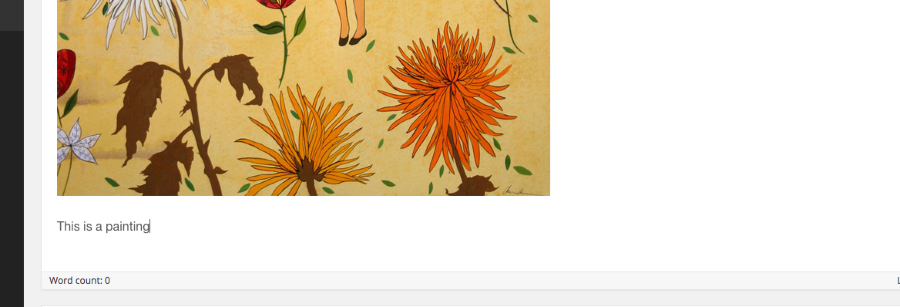
What I was trying to say is putting the text in the excerpt box won’t work, the text has to be in the same box like this:
According to the instructions for this theme found here:
http://help.pixelunion.net/customer/portal/articles/1820339-bindery-theme-documentationSince your site is hosted on WordPress.com your version of the theme works a little differently. These instructions are the ones you should follow
https://theme.wordpress.com/themes/bindery/support/
We can talk about adding a gallery later, but it’s not necessary to get the behavior on the site that you are describing. All you need to do is add the text to the editor in the same box as the image.
-
Hi,
I added text in the same box as the image. I tried putting text beside the image and then below and it still does not do or display how it does in the live demo. I would hope that this theme in wordpress is not so different than the live demo version.I would want the image to be larger and to the side with the text on the left. Does this version of bindery do that and how do I get it to do that? I think it does have something to do with a gallery setting because in the instructions it says that adding a gallery will allow the image to be larger and displayed off to the right when you click on the image from the main page.
So putting text into the same box as the image did not make this happen.How long do I have to be refunded for this theme?
Thanks,
Cheri -
I apologize. I looked again and we were both right. You have to have the text in the body of the post, AND you have to add the image as a gallery instead of just as an image.
We can do that by creating a gallery of one image.
The first step is to remove the image you already have in the post. Then click the “add media” button.
From there, click “create gallery” in the far left column. Add the image you want to display to the gallery. Make sure the image is set to the size you want it to be viewed at (probably large).
From there just follow the rest of the gallery instructions.
That should (finally!) give you the results you are looking for.
How long do I have to be refunded for this theme?
You have 30 days to play with the theme. You can return it for a full refund anytime during that window.


- The topic ‘Portfolio posts and blog posts set up?’ is closed to new replies.


 WordPress.com Forums