

posting photos to portfolio on front page
-
I have created a “project” and a “page” in an effort to get my image gallery to publish on my front page in the “portfolio” section (I renamed this section “photos”). It does not seem to publish to the front page and I’ve looked all over for the past couple hours on how to do this. Can’t seem to find the answer anywhere. Please help. My blog is http://www.benfehlen.com
Thanks,
BenThe blog I need help with is: (visible only to logged in users)
-
-
Hi Ben,
So right now your Portfolio projects are displaying, they’re just near the bottom of the page:
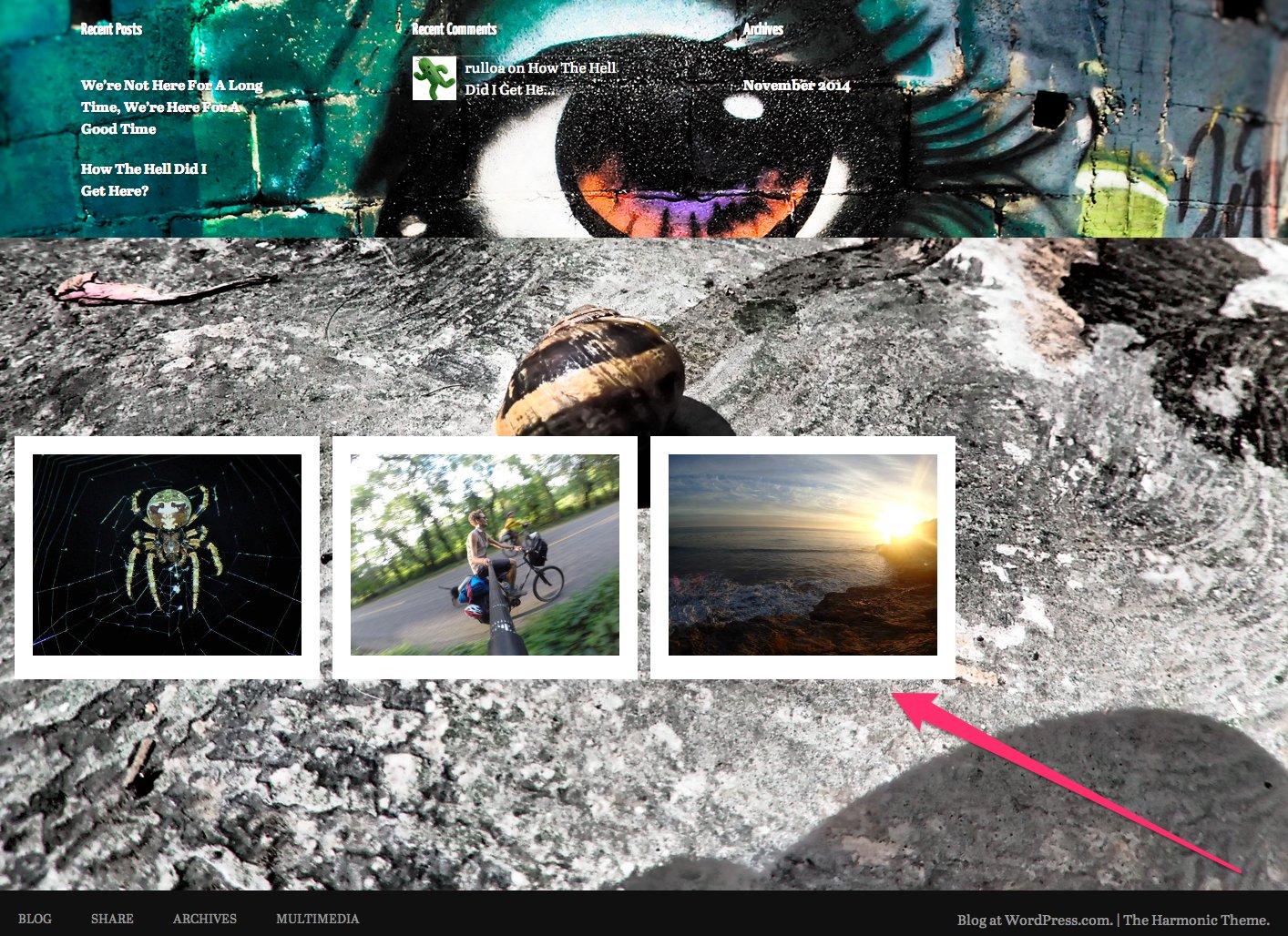
You can control what panels display in the Harmonic front page template by going to your blog’s customizer:
https://benfehlen.wordpress.com/wp-admin/customize.php?url=http%3A%2F%2Fbenfehlen.wordpress.com%2F
Click on “theme” and then “visibility” and you can hide any panels you don’t want to use and feature the portfolio projects more prominently.
Using the Portfolio shortcode you can also feature portfolio projects on any page. So if you prefer to not use the Harmonic “Front Page” template you can use standard page instead and just display your projects.
Best,
-Alex G.


- The topic ‘posting photos to portfolio on front page’ is closed to new replies.
 WordPress.com Forums