

Printing a blog post from Chrome browser
-
When printing a blog post from a Chrome browser, menu items cover some of the post text. This issue does not appear in Firefox or IE.
Our classroom technology is using Canvas, which works best with Chrome, but we are not able to print out a post from Chrome cleanly.
Can you help?The blog I need help with is: (visible only to logged in users)
-
Hi there,
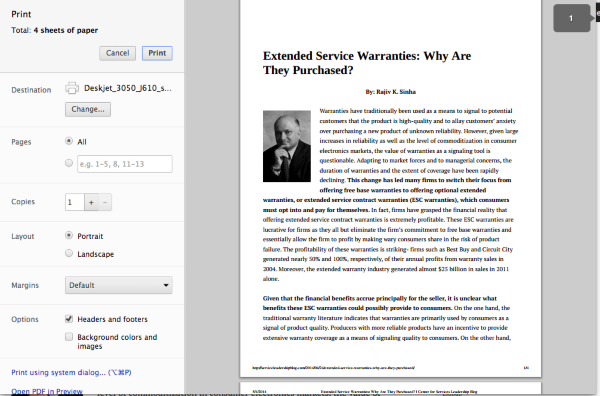
Currently, the blog post appears correctly when I use File -> Print in Chrome on my side as shown here:
Please note, you can also enable a sharing button at the bottom of your posts within your Sharing settings here:
https://centerforservicesleadership.wordpress.com/wp-admin/options-general.php?page=sharing
Just drag the “Print” icon to your “Enabled Services” section.
Let me know if that works!
-
Hi Jeremy,
Have you scrolled down to the second page?
The first page looks fine, but on the second page
https://www.dropbox.com/s/kezlwvrcgc36d5d/Chrome_screenshot.jpgThank you for the tip about the Sharing option!
Darima
-
Hi Darima,
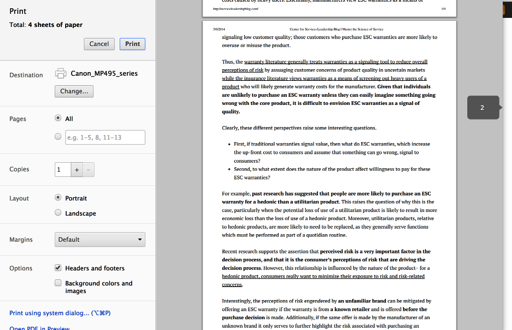
Unfortunately, I am unable to reproduce that error. When I press the Print sharing button of that same post, I did not get that widget on the second page as seen here:
Did you press the Print sharing button at the bottom of that post as seen here:
Let me know how that turns out!
Thanks!


- The topic ‘Printing a blog post from Chrome browser’ is closed to new replies.
 WordPress.com Forums
