

Problem in showing import files.
-
When I import files from one wordpress blog to another, the new blog still stays empty? Do you have any suggestions?
The blog I need help with is: (visible only to logged in users)
-
Hi there. Is http://yfasmatakourtines.wordpress.com/ the URL of the blog to which you’re trying to import? If not, please provide that URL, then I’ll tag this for staff so they can check the importer for you.
-
-
I’ve tagged this for staff to follow up. Please be patient while waiting for their reply.
-
-
hI kokkieh,
unfortunatelly I didn’t have any result. I got an e-mail saying that my WordPress import was successful but the blog is still empty.
I will explain you the exact problem because maybe there is another issue.I want to transfer all the content from the blog ymare.wordpress.com to yfasmatakourtines.wordpress.com.
So, I export all the content from the blog ymare.wordpress.com and I try to import it to yfasmatakourtines.wordpress.com.
Althouth, the result is that yfasmatakourtines.wordpress.com remains empty… :(Any (more) help???
-
Sometimes the importer gets stuck. Posting into a thread after it has been tagged for Staff with modlook in the sidebar like this one, simply moves the timestamp forward in time and that means it takes longer to get their help. Please stop posting and wait for Staff to reset the importer for you.
-
Hi there,
Did you just want to change the site name of ymare.wordpress.com to yfasmatakourtines.wordpress.com?
-
Actually yes! I want to rename the blog as you say. And leave ymare.wordpress.com for another use.
How can I do that? -
Sure, so what I can do is just switch the names so that you can use ymare.wordpress.com for something else. So ymare.wordpress.com will look like this:
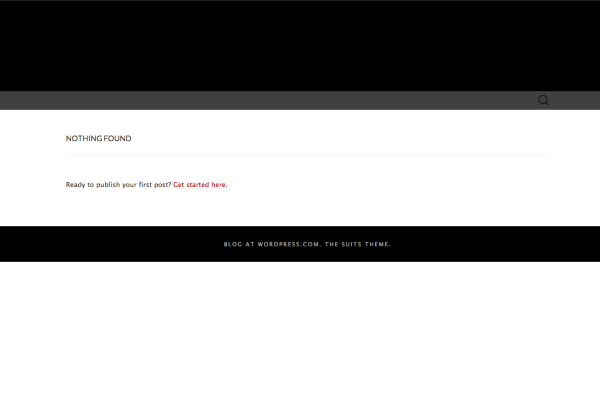
Please reply to confirm and I can get that done for you!
-
-
Thank you! It has been changed as seen here:

Please clear out your cache and cookies using the guide below:


- The topic ‘Problem in showing import files.’ is closed to new replies.
 WordPress.com Forums