

Problems embedding a Getty image into my post
-
Hi. I’ve just tried three or four times to embed a Getty image into my post. It was done after I had published the post. I followed the instructions, but when I update, the post only has the embed code and not the photo. On one try I got the image showing on the preview but when I hit update it still came up only as the embed code.
Any ideas what was wrong and what I should do to fix it? Thanks, MargaretThe blog I need help with is: (visible only to logged in users)
-
Hi Margret,
May I confirm whether or not this is the guide you have been using? http://en.support.wordpress.com/shortcodes/getty-images/
Will you also post a link to the draft post or page you are working on? -
Hi. Sorry. Yes, that’s the guide I used.
The post is here. I published without the photo.I hope this is the right link.
Thanks for the help. -
Hi Margie,
I found that I was able to get the Getty image inserted into your post as seen in this preview:

In order to do this, make sure you are copying and pasting the entire code into the Text Editor as seen here:
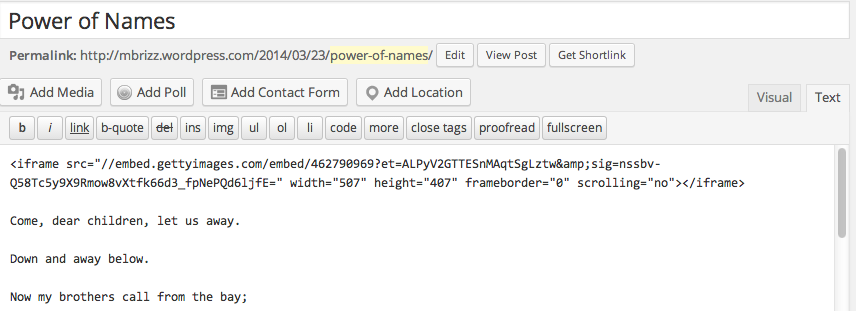
This is the code you should add to the text editor:
<iframe src="//embed.gettyimages.com/embed/462790969?et=ALPyV2GTTESnMAqtSgLztw&sig=nssbv-Q58Tc5y9X9Rmow8vXtfk66d3_fpNePQd6ljfE=" width="507" height="407" frameborder="0" scrolling="no"></iframe>Let me know how this works out!
Cheers!
-
Hi Grace. Thanks for trying to help me. I’ve just tried again, copying and pasting yourcode into the text editor. But when I updated, it still only shows the code. What am I doing wrong?
-
Ok. I can see what’s happening but I don’t know how to stop it. I have repasted the full code from my clipboard. When I update, it deletes the final part of the code. I don’t know why and I don’t know what to do to make that part stay. Is this weird, or what? Help!!!
-
Hi Margie,
Once you enter the code, we automatically change it to a shortcode as seen here in your post revisions:

Please note that is fine, as when you publish it, it will look like this:
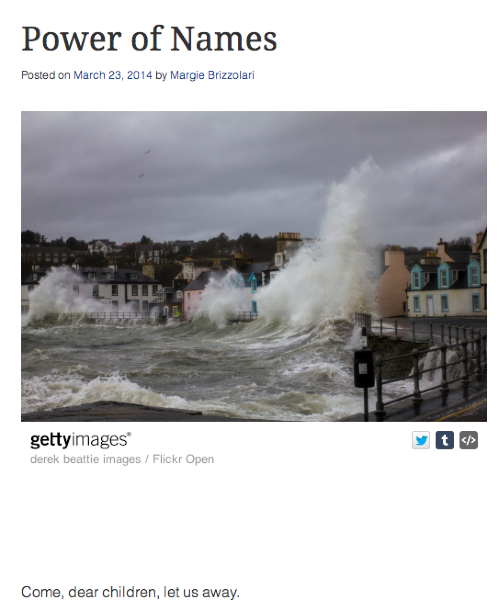
Please restore this version: 2 days ago (29 March, 2014 @ 11:45:51). You can find this in your Post Revisions when you edit the post: Power of Names. You will see the Revisions right below the Post editor.
Let me know if you have any questions.
-
Are you entirely certain that you’re posting it in the text editor, not the visual editor? Also make sure there is no formatting wrapping it, eg align=”center” and the like.
-
Yes as @raincoaster mentioned, please make sure you are pasting the code into the Text Editor.
-
“Aha! “She said as the light bulb lit up over her head. So I have to be in the text editor if I want to embed an image. Does that apply to youtube as well? What is the purpose of the visual editor? I never use the text editor. (Embarrased blush). Thank you for your patience and help. Can you point me to some reading matter to help me better understand how things work?
Thanks, Margie
-
Hi Margie,
If you want to add any code please use the text editor.
The Visual Editor will give you a better idea of what it will look like in the published form. While the text editor is specifically for HTML (the code you need to use). Here’s more information on the difference:
Let me know if you have any further questions about this!


- The topic ‘Problems embedding a Getty image into my post’ is closed to new replies.
 WordPress.com Forums