

Problems verifying blog with Pinterest
-
Hi there,
I am trying to verify my blog http://www.honestlyfitness.wordpress.com with Pinterest. I have entered the meta HTML code given to me by Pinterest where it has told me. However, everytime I try and go back to Pinterest to verify my website, it says there has been an error!
What can I do?The blog I need help with is: (visible only to logged in users)
-
Hi there,
It looks like your site was verified as seen on your Pinterest profile:

Cheers!
-
Hi there Grace,
That is strange that it has been verified, whenever I go onto my Pinterest page it still says that it is having trouble verifying the site :/
Thanks,
Alice -
Hi Alice,
It looks like everything is working properly, but just to make sure can you go to your Pinterest profile and click on the pencil at the bottom right hand corner as seen in the screenshot below:
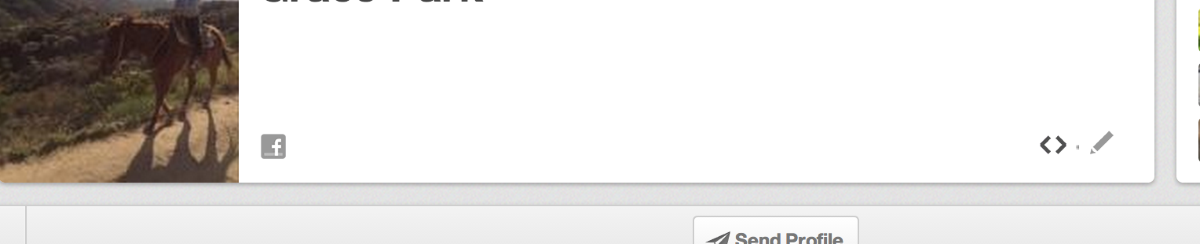
A window should pop up. Can you take a screenshot of that window and upload it to your Media > Library page?
Just to make sure, did you follow the instructions here?:
http://en.support.wordpress.com/webmaster-tools/#pinterest-site-verification
Thank you!
-
Hi Grace,
No problem, I took a screenshot of the window pop up and the error bubble that pops up when I try and verify the website. And yes I followed those wordpress instructions :)
Thank you!
-
Hi there,
After looking into your screenshot I see that you put http://www.honestlyfitness.wordpress.com. Can you please change it to:
http://honestlyfitness.wordpress.com
I tried that and my site was verified. Let me know how that works out!
Thank you!
-
Thank you so much, it finally verified! Thank you for all your help, it was much appreciated :)
-


- The topic ‘Problems verifying blog with Pinterest’ is closed to new replies.


 WordPress.com Forums