

Protected?
-
-
-
-
cornell’s name is not relevant and it’s inappropriate to post personal names to forums. Please do not waste volunteer time and energy on idle chat. If you want help post a link to your wordpress.com blog :)
-
-
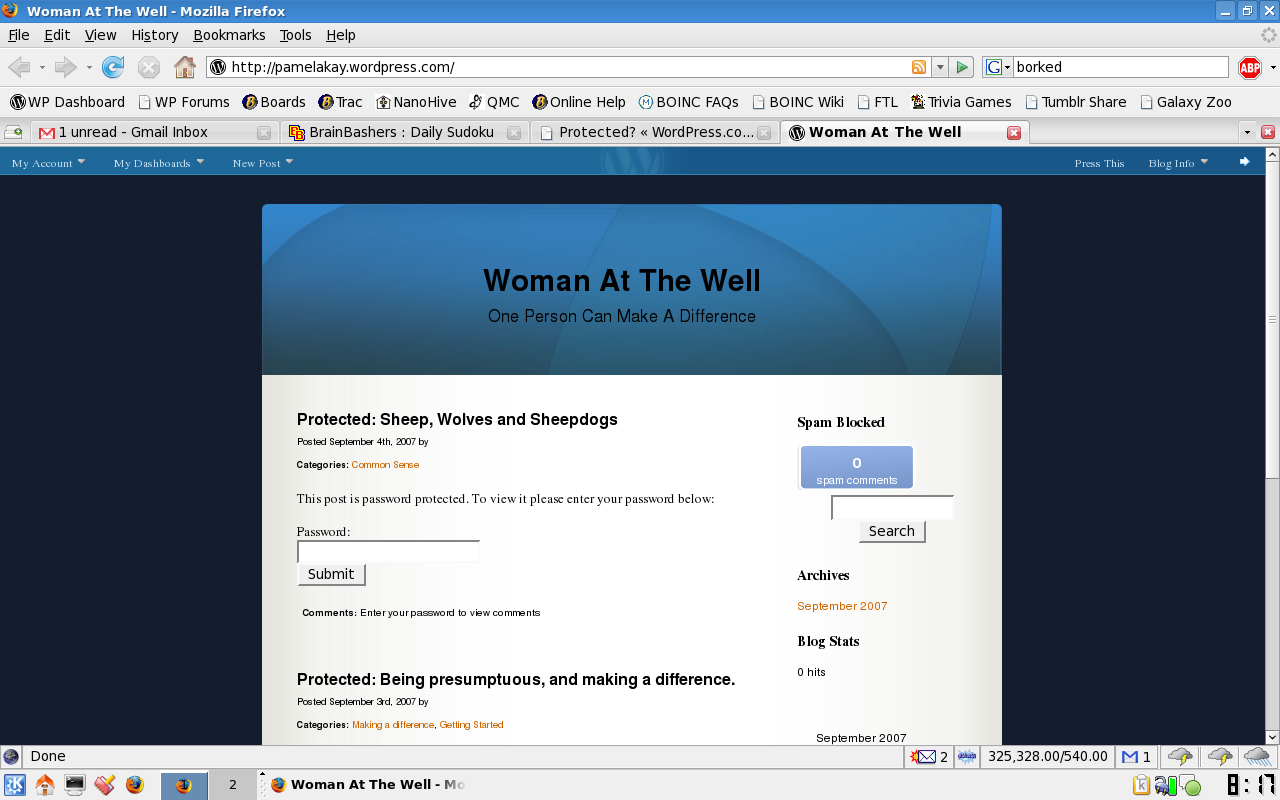
You’ve made your posts password protected.
I made a screen shot to show you, just let me upload it somewhere.
-
-
-
Manage -> Posts
find the post and click “Edit”
when it opens look for the row of blue buttons on the far right hand side of the page (beyond the editor box)
locate the one called “Post Status +” click the plus sign + and open it
change the status from Private to Published
Published
Pending Review
Draft
Private
and now click “Save” in the editor box -
-
/nod to TTTS
Thanks for getting that. I had to get ready for work.
(the upside is that I saw how easy it is to take a screen shot in Fedora)
You’ll get the hang of it Pamela Kay. Thanks for the link to your blog. That made the job 1000% easier :)
Happy Blogging! (as TT likes to say)
-
You’re welcome pamelakay. I clearly remember being brand new to blogging myself just 1 1/2 years ago. Here’s a Beginner’s Guide resource that you may find to be useful https://en.forums.wordpress.com/topic.php?id=11280
for katm BIG :)
-
Thank you both, I was so discouraged. Now I am thinking that maybe I can do this. If nothing else it gives me great pleasure to have another outlet for my thoughts. helium being the first. Pamela Kay:)



- The topic ‘Protected?’ is closed to new replies.
 WordPress.com Forums