

Protected Post Showing as Public
-
https://hwfcmemberowned2.wordpress.com/2017/03/28/a-very-sparse-co-op-update/
I want this post to show up as protected with a password box next to it and no content displayed. I have the settings correct. What do I do?The blog I need help with is: (visible only to logged in users)
-
Hello ,
We looked into the link it is showing up as Protected and is asking a password. Probably it’s figured out how to make it protected.Let us know if we can help you further with any other information..! :)
-
I looked at the posts page without logging in. The first two protected posts show up with all the content display. It looks like after that, the protected posts show only the password box.
I will have to unpublish these two posts until the issue can be resolved. Would you let me know if you have any suggestions? Thank you.
-
Hi Again ,
Here is the screenshot of how the first two are showing up , they seem to be coming up as Protected ,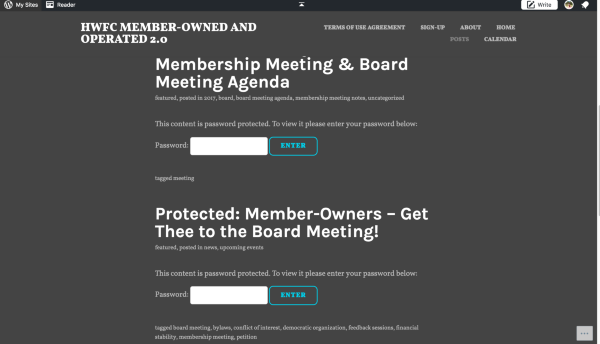
The content in the First two Posts is not showing up , it is just a box asking for Password.
Probably clear your browser and it should show up correctly.
https://en.support.wordpress.com/browser-issues/Let us know , if you have any further questions..! Would be happy to help..! :)
-
Hi there,
There are three statuses for published posts:
1) Public – anyone can see it
2) Protected – still public, but only someone with the password can see it.
3) Private – only admins on the site can see it and no one else.
With Protected posts we store the password in your browser via a cookie, so if you’ve entered the password once you don’t need to enter it again if you look at the post later. That’s why you don’t see the password prompt if you look at your site. If you look at your site using an incognito window in Chrome, or if you clear your browser cache and cookies, you will see the password prompt.


- The topic ‘Protected Post Showing as Public’ is closed to new replies.
 WordPress.com Forums