

Publicize not working
-
Hi there,
When I go into ‘Sharing’ within my website and instead of going to https://wordpress.com/sharing/<sitename.com>, the URL changes to https://wordpress.com/sharing/undefined.
It then flashes up with an error saying Jetpack is not up to date. It is.
My website uses SSL and is kept up to date daily.
Any idea why this is not working?
Thanks,
TimThe blog I need help with is: (visible only to logged in users)
-
Hello Tim,
Is this the website you’re working on – https://www.tsmalley.com/?
This is hosted by Cloudfare.
https://wordpress.com/sharing/ link will only work for websites hosted by WordPress.com.
You can find more help from this forum.
See more information about the difference from this link.
Regards,
Rose -
Hi Rose,
It is a feature in Jetpack, which is available as a self-hosted WordPress plugin.
See here: https://jetpack.com/support/publicize/
The functionality does not work.
This is the settings screen inside my Jetpack plugin on my self-hosted site:
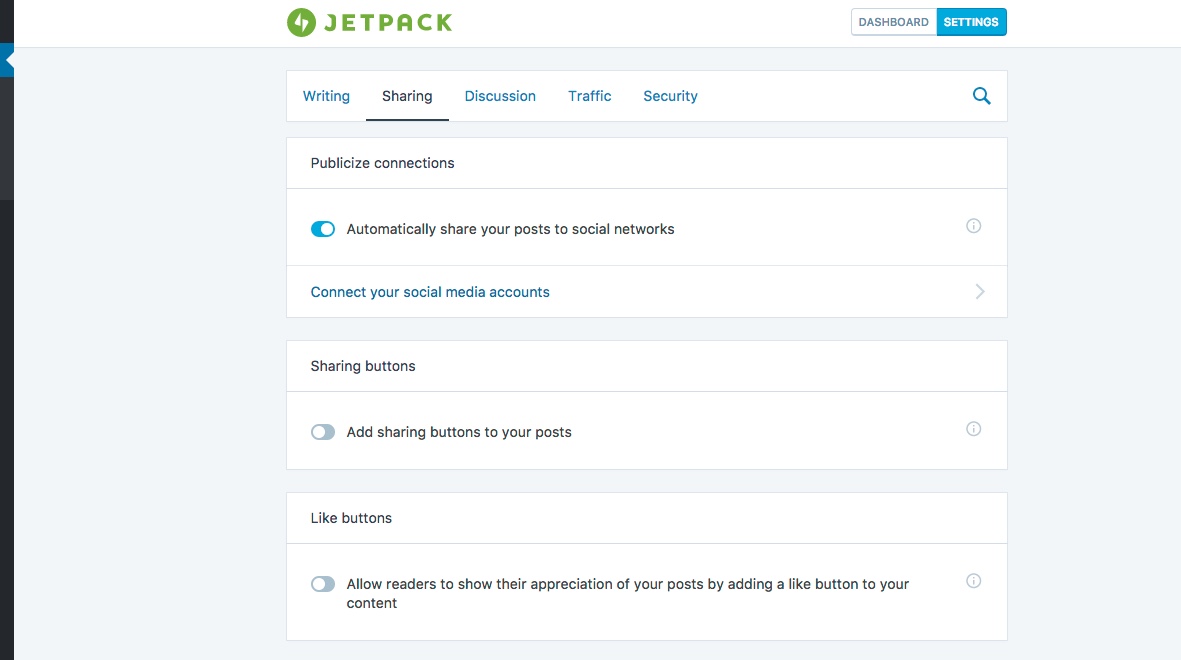
I click “Connect your social media accounts”…
Which takes me to this screen & error:
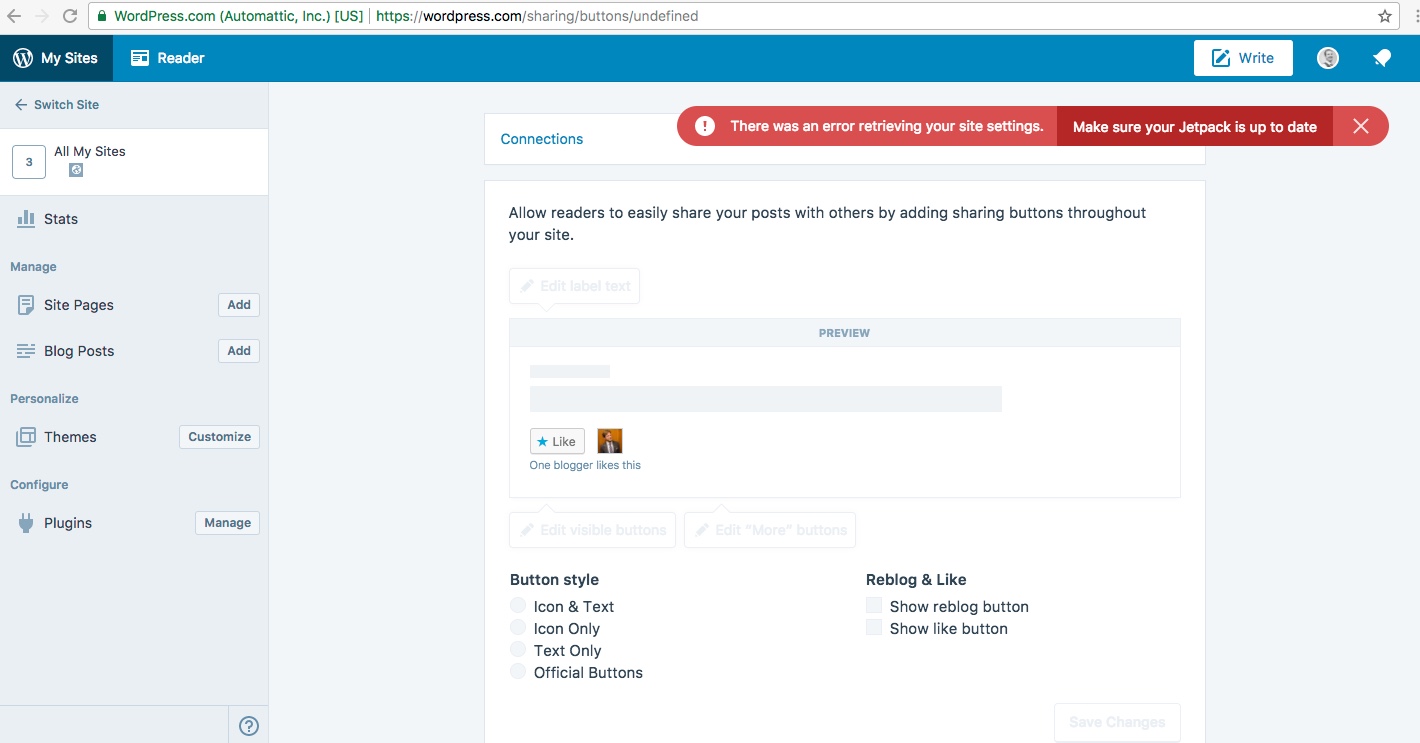
As I say, the functionality does not work.
Thanks
Tim -
Hello Tim,
Thank you. Yes, I understand that.
This forum where you started this thread is only for websites hosted by WordPress.com.
Your website is a self-hosted (Cloudfare) WordPress (WordPress.org) website.
Therefore, you will only get limited help from here.
You can find more help from this forum. This is the WordPress forum for self-hosted WordPress websites.
You can contact Jetpack directly from this link – https://jetpack.com/contact-support/?rel=support
See more information about the difference from this link.
I really hope this gets sorted out.
Regards,
Rose -
Hello Tim,
I tested it on my self-hosted website. I click Connect Your Social Media Accounts – https://i.imgur.com/ovk2FzK.png.
Then I got this – https://i.imgur.com/j4JyoXb.png Therefore, it’s working for me.
I’m looking at this screenshot – https://d6zx1cb7xixrt.cloudfront.net/wp-content/uploads/2017/10/11115611/sharing-wpdotcom.jpeg – it seems that your website is not linked to a WordPress.com subdomain site. I have mine with mydomain.wordpress.com.
Please check if your self-hosted WordPress site is properly connected to your WordPress.com account. You will need to seek help from Jetpack support for this.
Regards,
Rose -
Thank you.
I clicked through from within WordPress.com to support. This is where it ended up posting… could be clearer :)
I’ll find a way to get in touch with Jetpack.
Thanks,
Tim -


- The topic ‘Publicize not working’ is closed to new replies.
 WordPress.com Forums

