

Publicizing posts on my LinkedIn profile
-
My blog posts are not being posted on LinkedIn. I’ve tried renewing and recreating the sharing link, but no joy. It used to work fine. My blog is http://www.wordstodeeds.com
The blog I need help with is: (visible only to logged in users)
-
Hi there!
I just checked your Publicize history and it looks like they were all posted and there were no errors.
I did a test on my test account to make sure it’s working and I found that it was as seen here:
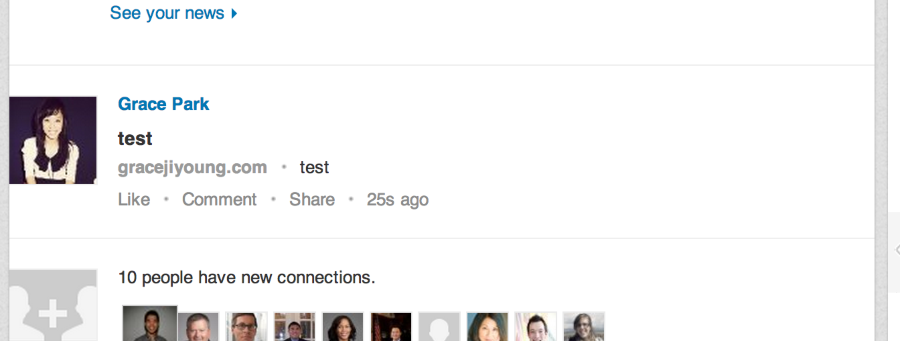
Sometimes there’s a short delay on LinkedIn posts being shared on Publicize. It will show up in the newsfeed of LinkedIn – not your profile.
Let me know if you have any questions with this!
-
Thanks for replying Grace. I don’t see any news feed in/attached to my profile?
There used to be an extract from the current post appearing as part of the LinkedIn profile. -
So on a LinkedIn profile you should start with an image with a brief bio on your current job position, then previous education details.
Then it goes down to Background which includes things like Projects, Experience, Language, Skills and Endorsements, then Education and lastly Personal Information. Below that are your Connections, then Groups and Following. Can you show me on your Profile exactly where you used to see the posts that you shared?
Please upload a screenshot to your Media > Library and I’d be happy to take a look.
Normally your posts should show up when you go to the Home page when you are logged into LinkedIn.


- The topic ‘Publicizing posts on my LinkedIn profile’ is closed to new replies.
 WordPress.com Forums