

Questions about theme, menus, display width
-
On my blog for “Concentric Associates” (now private)
1. How can I get the title and sub-title (“Concentric Associates” and “a consulting partnership . . . well-grounded strategy”) to appear the full width of the text below?
2. Is there a way to get that text below, rather than above, the picture in this theme, or, is there a similar theme that would allow this?
3. Is there a similar theme, with just one column, that uses more of the page width?
The blog I need help with is: (visible only to logged in users)
-
Oh, and one more question:
4. The blog displays “Nothing Found – Apologies but no results were found for the requested archive. Perhaps searching will help find a related post.
I assume this refers to some kind of archive or search, but I thought I removed any such widgets from this blog. So … where are these coming from?
-
Hi!
Let me address each of your questions below:
1. How can I get the title and sub-title (“Concentric Associates” and “a consulting partnership . . . well-grounded strategy”) to appear the full width of the text below?
The spacing is to allow the search bar to fully expand when clicked. I’ve created a mock-up of how you can allow the search bar to fully expand while still expanding the title text a bit:
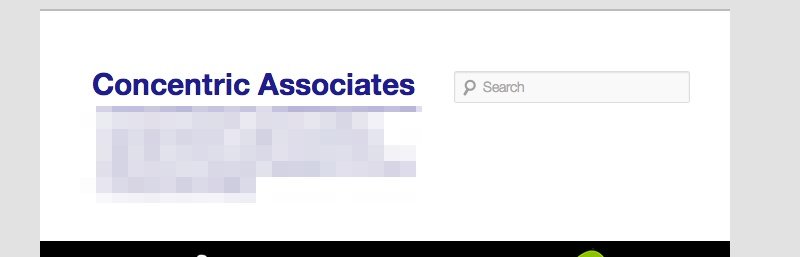
Is that what you’re looking for? Or, would you like to completely remove the search bar and expand the text all the way?
For both, you could accomplish this through CSS. First, however, you would need to purchase the Custom Design upgrade shown here:
http://en.support.wordpress.com/custom-design/
This allows you to upload custom CSS.
2. Is there a way to get that text below, rather than above, the picture in this theme, or, is there a similar theme that would allow this?
So, basically, you would like the “a consulting…” text to appear below the header image? There isn’t a default way to do this within the theme. The easiest way would likely be to place a text widget onto your sidebar with the text rather than having it at the top of the page. I did a run through our current themes that allow for Custom Header images, and I couldn’t find one that allowed the Site Description text to sit beneath the header. However, definitely take a look and let me know if one strikes your interest!
http://theme.wordpress.com/themes/features/custom-header/
I’m happy to explain a bit more about any features or themes that you might want to try out!
3. Is there a similar theme, with just one column, that uses more of the page width?
Syntax seems to align closely with a few of the items you mention:
http://theme.wordpress.com/themes/syntax/
Is that more what you’re looking for?
4. The blog displays “Nothing Found – Apologies but no results were found for the requested archive. Perhaps searching will help find a related post.
Currently, your front page is set to display your latest posts. Since you haven’t published a blog post yet to your blog, there isn’t anything to display, which is why you’re seeing that error.
There are two main options to get rid of this text:
1. You can create a static front page as described here:
2. You can publish a post to your blog.
Let me know if you have any additional questions!


- The topic ‘Questions about theme, menus, display width’ is closed to new replies.


 WordPress.com Forums