

Quiz Too Wide to Fit Blog
-
Hi. I created a quiz on Polldaddy but when I put it on my blog it is to wide to fit the page, and you can’t see the whole thing. I’ve had an extensive look through the support pages but can’t seem to find a solution to my problem. One suggestion was to change the settings to ‘narrow’, however I seem to only be able to do this when creating a new poll through WordPress, and not when importing a quiz from Polldaddy or creating/editing a quiz on Polldaddy. Incidentally, I can only embed my quiz by copying and pasting the link from Polldaddy, and not by using the ‘add poll’ button in WordPress. Not sure if that is a factor in my problem.
Thanks in advance for the help. My blog is http://www.hesaidwhatnow.com (a wordpress.com blog).
The blog I need help with is: (visible only to logged in users)
-
Hi there,
Currently, it looks like your quizzes are fitting properly within their element (both post width and sidebar widget) as shown here:
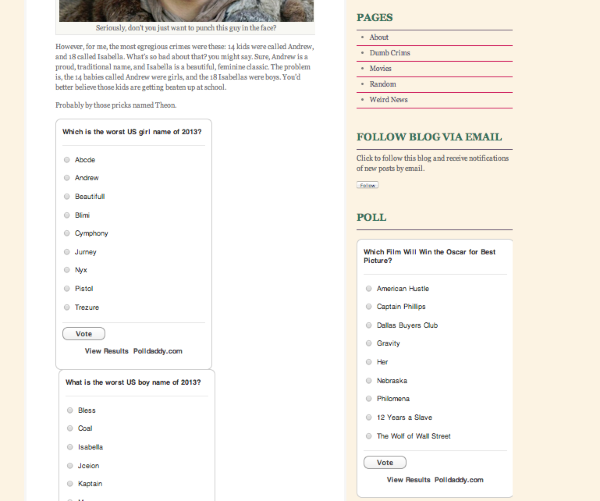
Were you able to get this to work?
-
Hi Jeremy
Thanks for getting back to me so quickly. The screen shot you sent was of the polls I have done, which I haven’t had any problems with at all. What I am struggling with is when I try to include a quiz from Polldaddy (as opposed to a poll which you can generate directly from WordPress, even though it is a Polldaddy function). I haven’t posted such a quiz on my website, because I don’t want to publish them if they don’t look right. When I preview posts that have a quiz they are too wide, hence why there aren’t any on my site – I’m trying to fix the problem in order to be able to post them. I’ve taken a screenshot to show you, but I can’t figure out how to paste it here. Happy to email it to you if that will help.
Any ideas?
Thanks again
Rob
-
Hey Rob,
Can you try publishing the quiz to your site one more time? When I publish a quiz using the same theme (Bueno), here’s how it appears on my side:
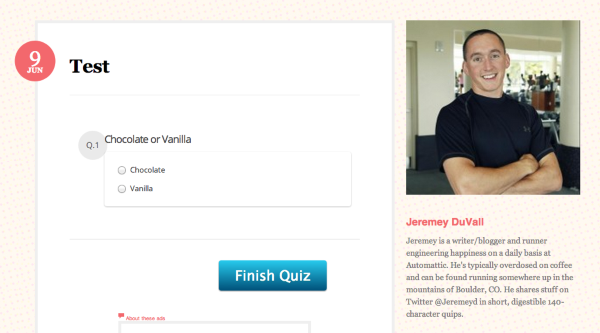
It should reflect the correct site width. Can you let me know if it doesn’t work after you publish it on your side?
-
Hi Jeremey
I just posted my quiz and it’s the same as it looked in the preview and doesn’t fit. Any suggestions?
Thanks
Rob
-
Hey Rob,
It’s appearing correctly on my side as shown here:
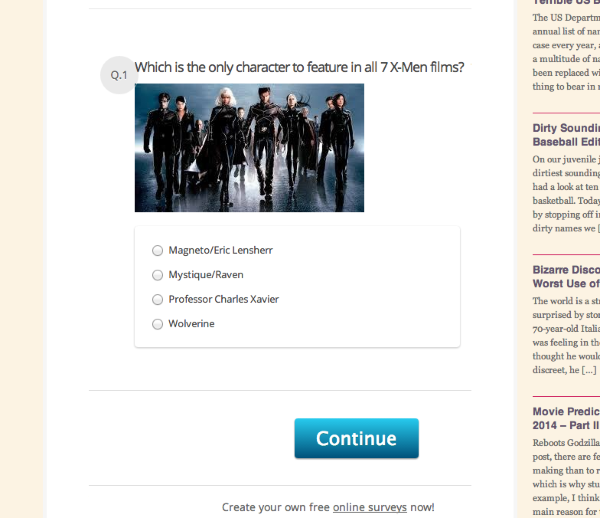
Is that what you’re seeing as well?
-
Hi Jeremey
Yep, that question is fine because it’s short and the picture is small; however, if you look at the next few questions they don’t fit.
Cheers
Rob
-
Hey Rob,
I apologize for the oversight! It does appear as though the Polldaddy embedded questions don’t wrap as they should leading longer questions to run out of the page boundary. I’ll report this to our developers, and let you know when a fix is in place!
-
-
I just wanted to touch base with you regarding this Rob. I went ahead and reported it to our developers, but it may take a few days to implement a fix. I’ll keep you posted!
-


- The topic ‘Quiz Too Wide to Fit Blog’ is closed to new replies.
 WordPress.com Forums