

quote
-
Hallo, how can i quote a sentence of someone else in my posts (so that it appears as a quotation in the text)?
Thank you!The blog I need help with is: (visible only to logged in users)
-
Hi there!
You can do this by selecting the portion of text you want to quote, and clicking on the quote button in your Post Editor. It will look something like this:

Once you publish, it will look something like this:
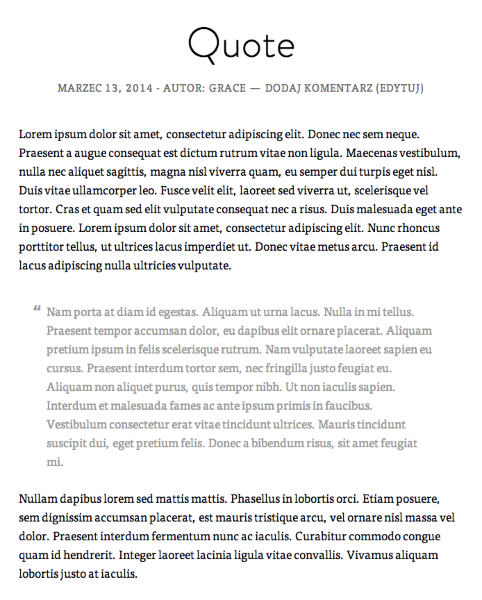
Feel free to reach out if you have any questions!
-
Hello and thank you so much for your answer!
I had found the click on the quote button, finally, but i was bothered because there where only quotation marks in the beginning, but not at the end of the selected portion of text. Then, when i clicked the quotation button once more (thinking i would add the quotation marks!), i instead “messed it all up” ^^
So when i look at your example, it seems to be normal that quotation marks are only in the beginning of the text.
So all is fine!
Thank you so much for your help!
-
Yes, sorry I should have mentioned it was designed this way in the theme, so it wouldn’t be possible to add it at the end!
Have a great day!
-
Thank you very much, this was very helpful to me, as i am a complete newbie :-)
I wish you a nice day, as well !


- The topic ‘quote’ is closed to new replies.
 WordPress.com Forums