

Reblog Button not showing on post though ON
-
Hello, I am using wordpress.com and even though the wordpress.com Reblog Button is ON it is not showing on my post and I am unable to reblog anything. Please note it is working through the READER but would appreciate if you can help me as I want the Reblog Button next to the Like Button on each post. I have searched and tried several ways to make it work but didn’t succeed. Another request would be to explain step by step if possible since am new to wordpress.com. Thanking you a lot in advance! :s
The blog I need help with is: (visible only to logged in users)
-
I think you may have disabled the display on the Dashboard > Settings > Sharing page.
http://en.support.files.wordpress.com/2012/01/dont-show-reblog-button1.png?w=460&h=74
See here please > http://en.support.wordpress.com/reblogs/#is-there-anyway-i-can-disable-the-reblog-option so you can re-enable it. -
Hi there, nuuralayn,
Reblogging is a term specific to the Reader and the WordPress.com admin bar. You correctly have the Reblog button turned on. Read about how Reblog works, and when you do and don’t see it, here:
It looks like your reblogging is all set. I can use the Reblog option in my WordPress admin bar:
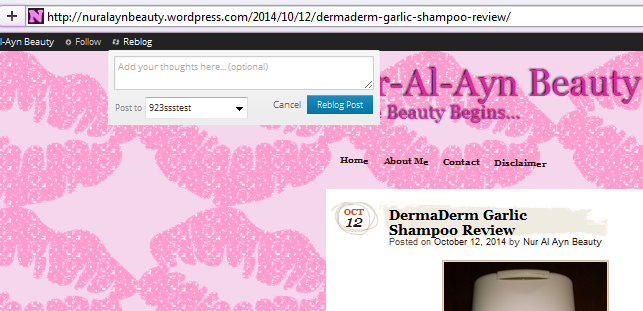
Another method of sharing that’s a little different is “Press This”
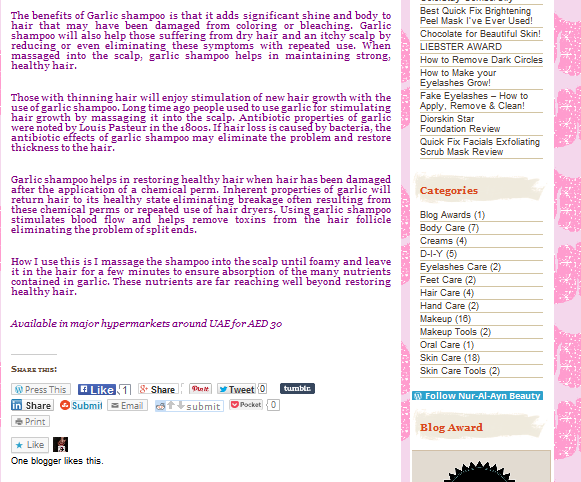
When I click Press this it then lets me share it on my blog:
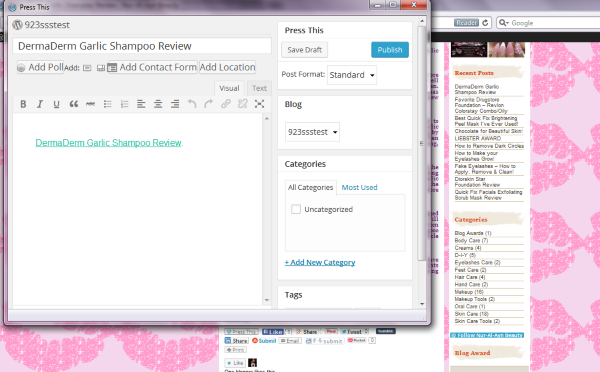
But it looks slightly different than a Reblog does. “Press This” really helps me link to your post faster within a post I write.
Reblog isn’t meant to appear next to your other sharing buttons, since it’s only for WordPress.com users who are logged in.
Let me know if you have any other questions about Reblogging. :)
Best,
-Alex G.
Happiness Engineer | WordPress.com
-
Thank you very much Alex for the reply! Highly appreciate your support! :) Yea I saw that thank you again! Have a good day!
Regards,
Nur


- The topic ‘Reblog Button not showing on post though ON’ is closed to new replies.
 WordPress.com Forums
