

Reblogging
-
I re-blogged a blog from a friend of mine and it posted fine, but when it shows the author name and “originally posted on” there is nothing on the “originally posted on”. Shouldn’t there be some kind of notation?
Also, it says the images from the blog should show as thumbnails, and there are none showing.
The blog I need help with is: (visible only to logged in users)
-
Hi Deborah,
I believe you’re referring to this post seen here:
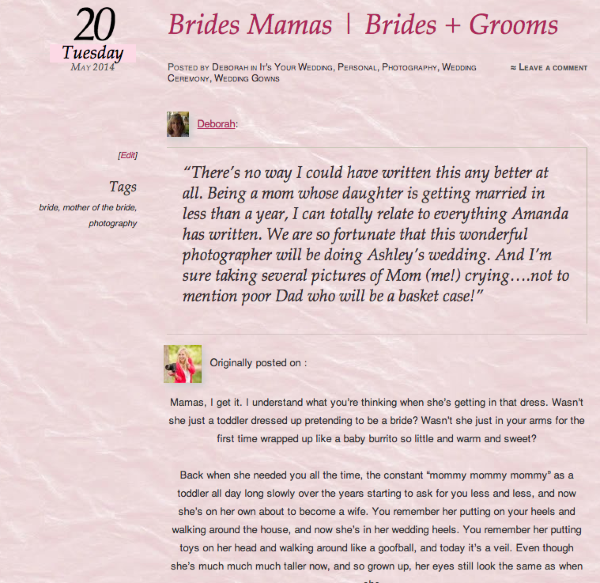
Is that correct? If so, I’m currently seeing the avatar of both you and the original author on the post. Is this working on your side now?
Regarding the “Originally post on:” section, that would normally reflect the Site Title of the original blog. However, in this case, the original author has left the Site Title field blank so the reblog doesn’t have any information to show. If you would like to let them know, they can fix this by navigating to Appearance -> Customize -> Site Title. They can enter their Site Title in the designated field. Please make sure they leave “Display Header Text” unchecked if they don’t want to mess with their current layout.
Please let me know if you need anything else!
-
-
Hey Deborah,
I’m still investigating the question regarding images in reblogs. I’ll get back to you as soon as I know more!


- The topic ‘Reblogging’ is closed to new replies.
 WordPress.com Forums