

register a domain not working
-
I went to register a domain, chose the one i wanted, and then a new window opened, but it is blank.
What now?The blog I need help with is: (visible only to logged in users)
-
I went to register a domain, chose the one i wanted, and then a new window opened, but it is blank.
What now?The blog I need help with is baktanajlm.wordpress.com.
-
1. If you are not running one of the browsers and versions listed at http://browsehappy.com/ please try upgrading or switching first.
2. If you are using an IE browser in compatibility mode please disable that mode. http://windows.microsoft.com/en-us/internet-explorer/use-compatibility-view
3. If you are running one of the browsers and versions listed at http://browsehappy.com/
(a) Try clearing your browser’s cache http://www.google.com/support/accounts/bin/answer.py?hl=en&answer=32050
If applicable see here for instructions on how to clear the cache for Chrome and Safari on the iPad:
http://browsers.about.com/od/howtousemobilebrowser1/ss/safari-ipad-clear-cache.htm
http://browsers.about.com/od/howtousemobilebrowser1/ss/How-To-Clear-Browsing-Data-In-Chrome-For-Ipad_6.htm(b) Make sure that you have both third-party cookies enabled and JavaScript enabled
http://en.support.wordpress.com/third-party-cookies/
http://www.google.com/adsense/support/bin/answer.py?answer=12654(c) Disable all browser extensions or add-ons temporarily. Know also that security and firewall programs and programs that run incognito mode may need to be temporarily disabled as well.
(d) Try enabling HTTPS: http://en.support.wordpress.com/https/
Add both *.wordpress.com and *.wp.com to your list of trusted sites under the Security tab. Make sure to uncheck the box for “Require server verification (https:) for all sites in this zone.” http://en.support.wordpress.com/https/#frequently-asked-questions
4. You can use this link to see if your flash is up to date. http://www.adobe.com/software/flash/about/ If it’s not then go to http://www.adobe.com/products/flashplayer/ and download and install the latest version of flash.
5. Try using another browser.
6. If you are not successful let us know:
(a) Exactly what kind of device you are using to connect to the internet and to WordPress.com.
(b) Exactly which browser (and version of it) you’re using by checking here if necessary http://supportdetails.com/
(c) Exactly what you experience including what any error reports you receive state. -
Hi there,
Did you purchase a custom domain? Currently I’m seeing that you registered our free domain: baktanajlm.wordpress.com. I am able to view your site as seen here:
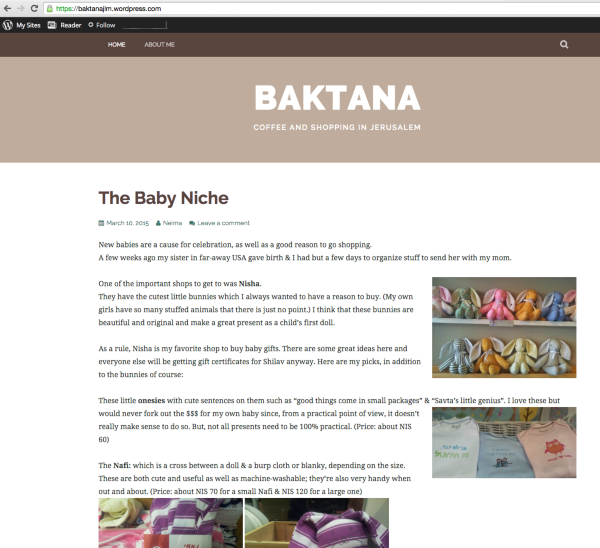
If you purchased a custom domain please provide me the domain name and I can take a further look.
Cheers!
-
-
-
I purchased a domain name I’d like to associate with a wordpress blog which I haven’t set up yet. When I try to set up a blog it makes me choose a different domain. How do I set up a wordpress blog with copewithhope.ca?
-
@piathompson-
Hi there,
If you currently own the domain: copewithhope.ca you can get the domain mapping to map it to your WordPress.com site. Take a look at the guide below for more information:


- The topic ‘register a domain not working’ is closed to new replies.
 WordPress.com Forums