

Remove domain name
-
WordPress-friends, I have happily blogged with you for years—and plan to keep doing so.
I created a non-Wordpress homepage, and want to map my WordPress.com page to blog.titiaanpalazzi.com. I want to point http://www.titiaanpalazzi.com to the non-Wordpress homepage.
I have bought a new already-owned domain in the WordPress.com store: blog.titiaanpalazzi.com. I have added a CNAME-type DNS setting to my hosting service, pointing blog.titiaanpalazzi.com to titiaanpalazzi.wordpress.com. That seemed to work, until I started to delete the A-type DNS settings for @ and * pointing to wordpress, adding A-type DNS settings for @ and * pointing to my new homepage (www.titiaanpalazzi.com).
Can you please help me fix this? Ideas:
1. Delete titiaanpalazzi.com from WordPress.com owned domains, leaving only blog.titiaanpalazzi.com
2. Explain to me which DNS settings are necessary to point to a WordPress.com site other than a CNAME setting.Forever Grateful, Titiaan
The blog I need help with is: (visible only to logged in users)
-
Hi there,
First, I noticed you have submitted multiple requests for support. To keep our conversation organized, I’m going to respond to your questions here and close the other requests. Please keep all further correspondence in this thread.
First, regarding titiaanpalazzi.com, that domain is now loading your other site (not your WordPress.com site) on my side. If you have the correct settings set at your Registrar, it shouldn’t matter that you have the mapping upgrade at WordPress.com. However, you may need to clear your cache for the domain to work correctly on your side. Instructions can be found here:
Additional browser instructions can be found here:
http://www.refreshyourcache.com/en/home/
Regardless, if you’re sure you do not want to use your domain titiaanpalazzi.com at WordPress.com any longer, I can remove the mapping upgrade from your site. Just reply back to confirm!
Just a note regarding titiaanpalazzi.com, in order for the www version of the domain to work, you’ll need to set a CNAME record for http://www.titiaanpalazzi.com to titiaanpalazzi.com. Does that make sense? Otherwise, the WWW version does not know where to point.
Regarding blog.titiaanpalazzi.com, you can do that by including a CNAME record as explained here:
http://en.support.wordpress.com/domains/map-subdomain/#instructions-for-mapping-subdomains
In this case, you would need to enter the following CNAME record at your registrar:
blog.titiaanpalazzi.com. IN CNAME titiaanpalazzi.wordpress.com.
Currently, I don’t see that CNAME record in place. Can you make sure you have entered it correctly?
-
Dear Jeremey, thanks for your reply.
My hosting service confirms that my DNS-settings, seen here, include the correct settings: connecting A to the non-WordPress.com site, and two CNAMEs: one for blog.titiaanpalazzi.com, one for http://www.titiaanpalazzi.com. Can you spot potential other issues?
Would you kindly remove the titiaanpalazzi.com mapping upgrade to see if that solves the problem?
-
Hi there,
Would you kindly remove the titiaanpalazzi.com mapping upgrade to see if that solves the problem?
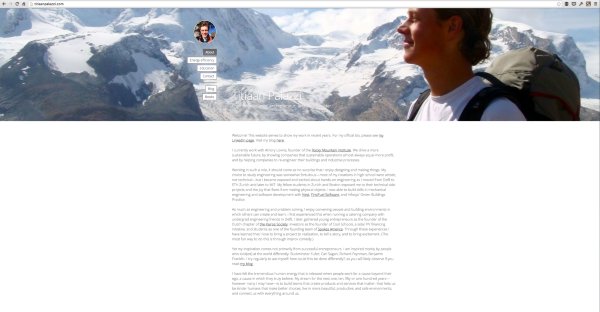
Done! You will not get charged for the domain mapping for titiaanpalazzi.com moving forward. The root domain is now loading correctly for me as demonstrated here:
Regarding the www version of your domain, I believe you’ll want to change the CNAME to the following:
CNAME http://www.titiaanpalazzi.com to titiaanpalazzi.com
Regarding the subdomain CNAME, when was that record added? Occasionally, it can take 24-48 hours for it to start working correctly. On my side, the record looks correct.


- The topic ‘Remove domain name’ is closed to new replies.
 WordPress.com Forums