

Remove Featured Image from the main page
-
When we set the blog up the featured images comes up once you click on it it blows up the image. How do I remove that as well as the author?
The blog I need help with is: (visible only to logged in users)
-
Hi there,
Are you referring to the “Great Ideas” image shown here?
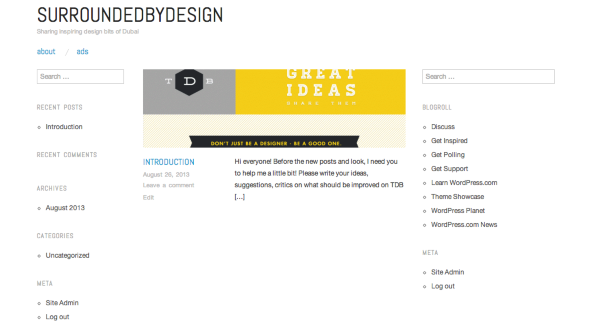
If so, are you looking to permanently remove all featured images from the home page or just this one?
The Oxygen theme you’ve chosen is meant to have a featured image displayed for each post. If you do not have a featured image, a grey box is shown there in its place. Let me know if you’re wanting to permanently remove all featured images or just that one.
To remove the author, I believe you’re referring to the byline here:
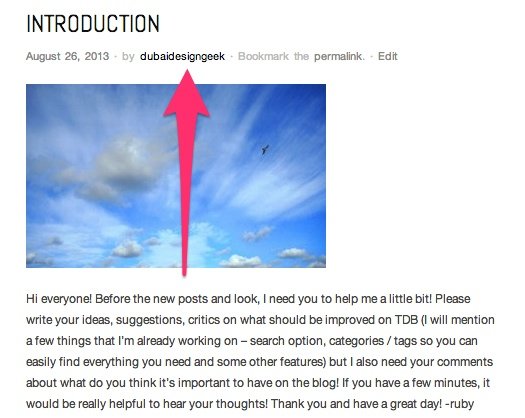
Is that correct? If so, you’ll need to purchase the Custom Design upgrade as that is only removable via CSS:
http://en.support.wordpress.com/custom-design/
Once you purchase that upgrade, you can use the following CSS:
div.entry-meta span.byline {
display: none;
}
Just input that under Appearance -> Customize -> CSS.


- The topic ‘Remove Featured Image from the main page’ is closed to new replies.
 WordPress.com Forums