Remove margins between nav en content (Expound theme)
-
I would like my content of sidebar with no margin to the nav menu.
We I see it know there is 40 px of margin on top en on the right.
(My sidebar is on the left). -
Since you didn’t provide a link to the blog you’re working on, I’ll try using the Expound demo site as an example: http://expounddemo.wordpress.com/
I would like my content of sidebar with no margin to the nav menu.
This example will remove the top margin from the right sidebar in the expound theme:
.widget-area {
	padding-top: 0;
}
To add CSS to a WordPress.com blog, go to Appearance > Customize > CSS. See http://en.support.wordpress.com/custom-design/editing-css/ for more details.
-
Thanks, that was wat I am looking for.
One last question:
How I change the margins on right of sidebar.
I have a image here but there stays a margin op 40 px. -
How I change the margins on right of sidebar.
I looked at the sidebar at http://expounddemo.wordpress.com/
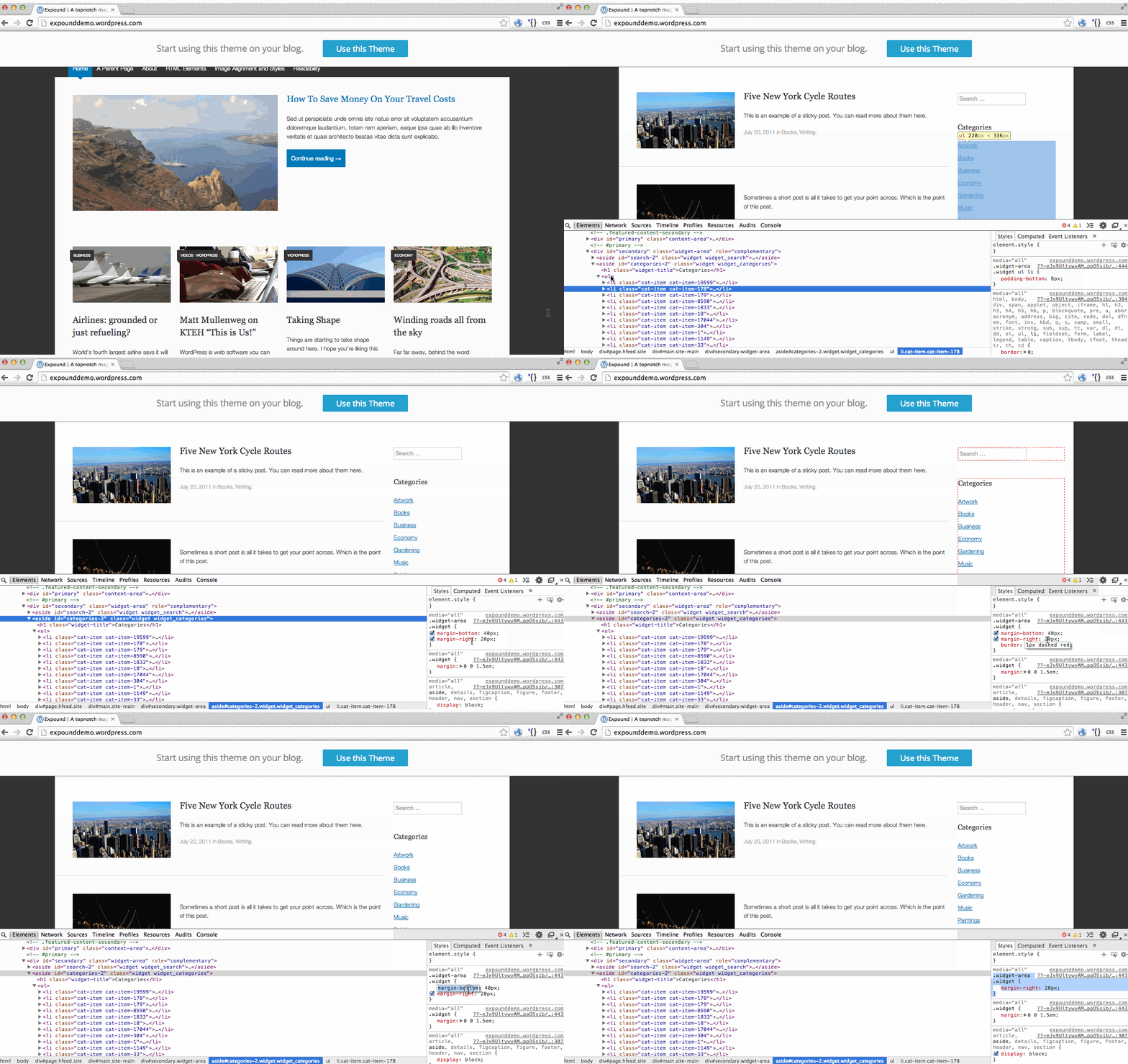
I found that the #sidebar element itself is flush right, but the .widget elements inside have a right margin of 40px like you described.
Here is an example that will reduce the right margin to 20px:
.widget-area .widget {
	margin-right: 20px;
}
Adjust the 20px number as needed.
Here’s an example showing how I figured it out so you can see how to do it:
https://i.cloudup.com/FlF_bohA4g.gifYou might also like:
http://en.support.wordpress.com/custom-design/how-to-find-your-themes-css/


- The topic ‘Remove margins between nav en content (Expound theme)’ is closed to new replies.
 WordPress.com Forums