

Remove post date and search bar.
-
How do I remove the post date and search bar?
The blog I need help with is: (visible only to logged in users)
-
Removing the post dates in Escutcheon would require Custom CSS, which is available with the Premium or Business plans.
Newer themes include a Content Options panel in the Customizer where you can turn off post dates without needing custom CSS. If it’s important to you and you don’t want to upgrade at this time, you might want to look at one of those themes, like these, for example:
Penscratch 2 – https://penscratch2demo.wordpress.com/
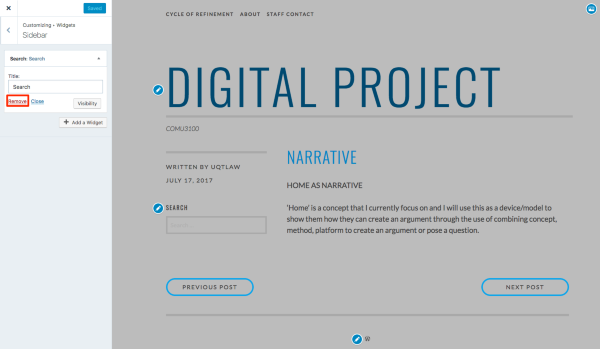
Libre 2 – https://libre2demo.wordpress.com/To remove the search widget, head to your Customizer‘s Widgets panel, navigate to a single post in the preview pane, open the Sidebar panel, and delete the widget.
-
Thanks so much kathrynwp. One other question: is there an option in my current theme to order the posts differently? i.e. from least recent first, rather than most recent?
-
Hello @uqtlaw,
I found this information about the order of Posts in the documents section. Maybe this will help you > https://en.support.wordpress.com/show-your-posts-in-chronological-order/
If not, don’t hesitate to let us know.
-
uqtlaw – The posts page in WordPress always displays posts in reverse chronological order (newest first), but using the Display Posts shortcode is one way to set up a page with posts in chronological order instead.
The support page Sol posted has a couple of other suggestions as well, but the shortcode is the most common one.


- The topic ‘Remove post date and search bar.’ is closed to new replies.
 WordPress.com Forums