

Remove Slideshow for tdEditor homepage?
-
Is it possible to remove the slideshow in tdEditor theme’s home page? We would like to take it off completely.
The blog I need help with is: (visible only to logged in users)
-
Hello there Dena,
You currently have your customizer set to see all posts with the “slideshow” setting as slider images:
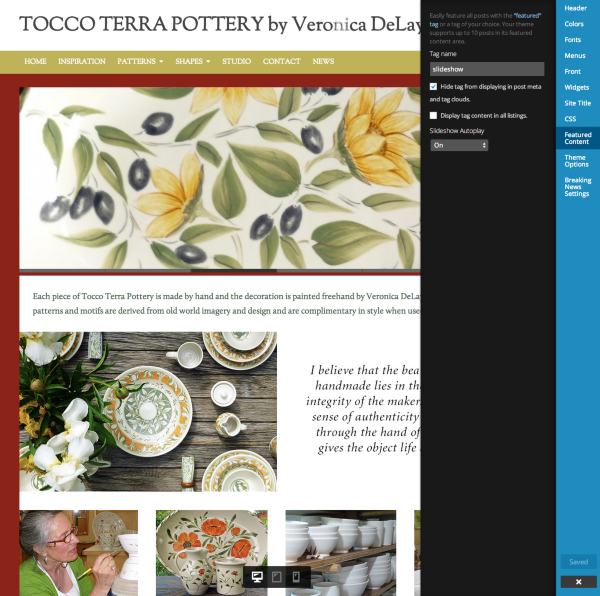
You can delete that setting.
Additionally, go to Posts → All Posts. Open each post and get rid of the “slideshow” tag. Then save those updates to the posts.
That should do the trick! If I can help in any other way, please drop me a line. Cheers :)
-
-
-
Hi:
I do have one more question related to the slideshow. We took it off the site because we felt like it was overwhelming things and want to get some key elements on the site without the slideshow distracting us. We will likely put it back on at some point. When we do, is it possible to customize it’s overall height and the pace at which the slides move? If yes, how would you suggest we do this?
Thanks.
D
-
There’s no way to change the speed that the slideshow moves because that is all coded with JavaScript and we don’t allow users to edit or add JavaScript to their sites.
However, you can likely change the size of the slideshow with some custom CSS. When you’re ready to do that, head over to our CSS forum and one of the CSS gurus over there can help you out:
-


- The topic ‘Remove Slideshow for tdEditor homepage?’ is closed to new replies.
 WordPress.com Forums