

Reset User Roles
-
How can I reset built-in user roles and capabilities to its default setting?
The blog I need help with is: (visible only to logged in users)
-
Hi @freechestgaming,
You can change the user-roles by using these guidelines in this support document, the other parts of the page also explains details about User Roles :
When you mention “default settings” could you provide details of the initial settings you would like to get back.
Also, I notice on your link freechestcom.wordpress.com there is not much user-produced content. Just wanted to confirm if that is correct URL you working on?
Let me know the details, would be happy to assist you further.
Thanks!
-
No, that is not the URL I need assistance with.
Though, I would like to reset the built-in User Role “Contributor” to its default capabilities.
-
Hi again,
Could you share the URL of the site you are working on?
The document linked above gives you details to be able to manage various User roles. If you just make sure the particular users are assigned as a “Contributors” it should work for you.
Thanks!
-
-
Hi again,
There is no way to change specific (permissions) for a user. You can just change the complete role of the user. You only need to assign them again as Contributor’s and click on “Save Changes”. Here is a screenshot of the contributor’s screen page:
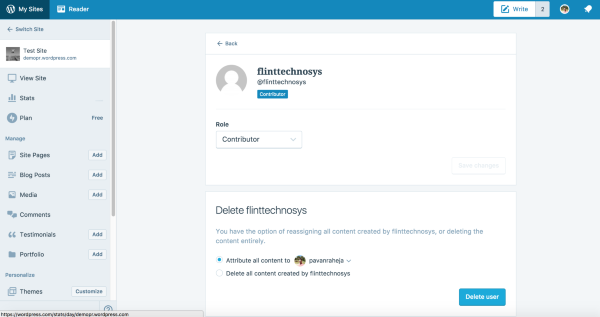
It would be great if you could share the URL/link to the website you are working on? It would help me to have a closer look and assist you further.
Thanks!


- The topic ‘Reset User Roles’ is closed to new replies.
 WordPress.com Forums