

Resonar About
-
Hi! I recently switched from the Kiore Moana theme to the Resonar theme because I liked the menu better. I like it a lot but I can’t seem to get my about page to show up on my social links menu. I can get the link to show up but I would like the full text like in the demo. How do I do this? Thanks!
The blog I need help with is: (visible only to logged in users)
-
Clicking on the three dots icon in the header area opens a page containing both widgets and the social links menu. The demo evidently includes a text widget with “about” information, which is a duplicate of the “About Resonar” section found on the demo’s “about” page.
-
I like it a lot but I can’t seem to get my about page to show up on my social links menu.
Social links menus only shows icons – for services like Twitter, Facebook, and whatever other services a theme supports. They aren’t designed to show text. You can learn more about social links menus here:
For any service that the theme doesn’t recognize, a generic “sharing” icon is displayed, which is what is happening now for your About page:
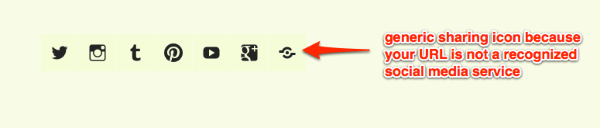
If you don’t like the generic icon, you could add your About page to the overlay as part of a custom menu widget instead of adding it to your social links menu:
https://en.support.wordpress.com/widgets/custom-menu-widget/
Let me know how it goes or if you need further help.
-
Ah, I just realized what you’re referring to in the demo, it’s a Gravatar widget. Here’s how to set it up:


- The topic ‘Resonar About’ is closed to new replies.


 WordPress.com Forums