

Scribd side shift scroll bar broken in Firefox
-
The side shift scroll bar for Scribd works with IE, but not with the current Firefox browser – enlarge the page to read the words and the page can’t be side shifted to center the text with using Firefox
The blog I need help with is: (visible only to logged in users)
-
Heya auxclass, it looks like there could be an even bigger issue here. I don’t see the Scribd doc at all on the site in Firefox or Chrome:
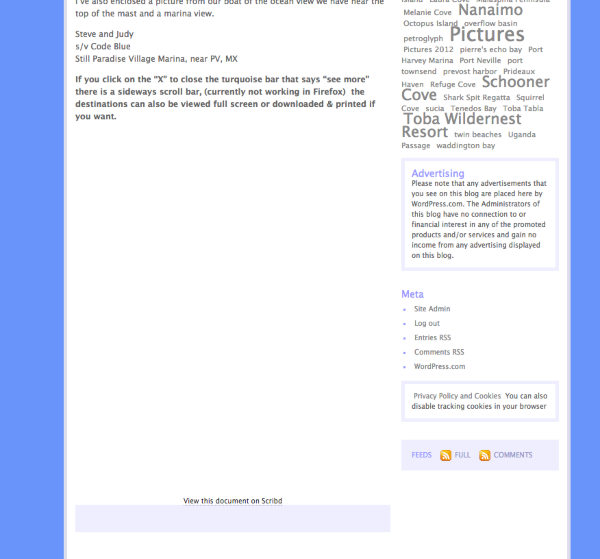
First of all, did this issue coincide with updates we launched a week ago?
Second, could you try adding the Scribd doc again to see if that fixes things?
-
Hi Jackie
The Scribd code was still in the post and displays fine for me with Firefox, current version. I looked at the Edit page, saw the code was still in the Post and then clicked on Preview then went to the main page and visited the Post, and the Scribd document was visible when it should have been.
The Post was published on March 29 and I put the Scribd document in when it was pointed out that in IE the Preformatted text was broken and the right side of the table was not visible
So, is this the time I get to turn the tables? Ask you to clear the browser cache, cookies, jump up from your chair, whirl around three times while patting your stomach & top of your head? :)

-
Curiouser and curiouser… I cannot see the doc in your link in Chrome or Firefox, on a Mac or PC. Neither can my colleagues, so it’s not just me. ;) It is visible in Safari, however.
However, your link is directing to https. When I view the page as regular http, it’s working as expected across all platforms, and I have a scrollbar in Firefox on the PC.
When you’re viewing the page without the scrollbar, is it the URL http or https?
I think it could be your browser that needs the cache cleared. :) For completely unrelated issues with FF lately, Ctrl+shift+del has helped, so I’m going to throw that out there.
-
Hi.
The URL is
a) https://svcodeblue.wordpress.com/2014/03/29/sv-code-blue-hopefully-itinerary-but-behind-already/or
b)http://svcodeblue.wordpress.com/2014/03/29/sv-code-blue-hopefully-itinerary-but-behind-already/
“b)” works fine for me with:
Opera
Chrome
Firefox
Chromium
Maxthon
Safari
running on Windows 7 -
I cleared Firefox online cache and forced a page reload and no change – Doc displays but will not scroll. I can’t use the scroll with Firefox either http or https.
I put the Scribd document in March 30 just before noon (PDT)
I missed the https in the original link, sorry about that
I tried IE9 – https breaks the scroll, but without https the scroll works
Such a simple question with what looks like many permutations! And since Automattic is spread out, your colleagues should be visiting the site with different ISP’s from different areas
Thanks & good luck to the developers
PS – gave a short practice talk last night to some members of the Seattle WordPress Meetup Group “o2 and the Alki Lighthouse” (project management of the summer lighthouse tours) – most had not heard of o2, they were all interested in the new features (it’s still in Beta and I am helping to test it) – the consensus was the o2 was going to be a very nice addition when it is released
thanks
-
Thanks to you both for continuing to test this. Sorry I don’t have a quick solution as I cannot reproduce it yet.
And @auxclass, nice to hear you’re presenting at your local meetup. Maybe you could do a talk on contributing in the WP.com forums next? Before you know it, you’ll be on the WordCamp circuit! :D
-
The group was small (a sub group) last night – but I am considering submitting this for consideration to the Seattle WordCamp event, when I talked to two of the WordCamp organizers last night they thought it would make a nice presentation, short with local interest.
And maybe doing the same presentation to the entire Seattle WordPress Meetup group
So who knows
Thanks for looking at the scroll bar issue –
-


- The topic ‘Scribd side shift scroll bar broken in Firefox’ is closed to new replies.
 WordPress.com Forums