

Sela Logo Resolution
-
When I upload the logo in Customize, it appears sharp and clear. But when I publish it, the image looks slightly fuzzy. Asking about this site: https://laurenmorrill.com/
What are the best dimensions to use so that the logo doesn’t lose resolution upon upload?
The blog I need help with is: (visible only to logged in users)
-
Hi Lauren – It would be very helpful to get a few more details about what you’re seeing, since I’ve tested your site on several different devices, and it looks sharp everywhere so far on my end.
For example, here’s a screenshot from my iPhone 5s, which is a retina device:
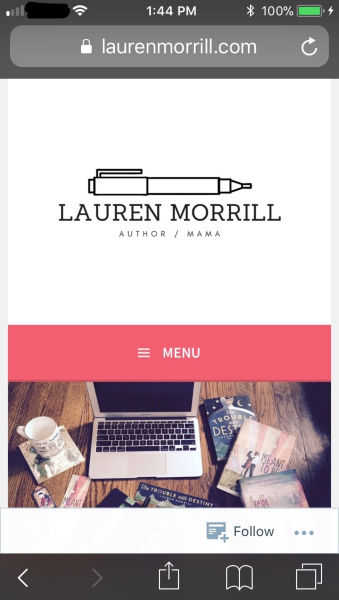
Could you let me know:
– what specific device you’re using (i.e. Nexus 7)
– what operating system and version you’re using (i.e. Android 4.4.4 Kitkat) – visit https://supportdetails.com/ if you’re not sure
– what browser you’re using (i.e. Chrome)
Could you also please upload a screenshot? Here’s a guide:
http://en.support.wordpress.com/make-a-screenshot/You can upload the screenshot – in a graphic format like JPG, PNG, or GIF – in your Media Library, and provide a link so I can see it, or upload it with a service like Imgur or Snaggy.


- The topic ‘Sela Logo Resolution’ is closed to new replies.
 WordPress.com Forums