

Sela Theme
-
How do I remove the html gibberish at the bottom of all my pages and the leave a reply box? I have the sela theme
The blog I need help with is: (visible only to logged in users)
-
I actually see a leave a reply box at the bottom of each of your pages. Here’s a screen shot of what I see:
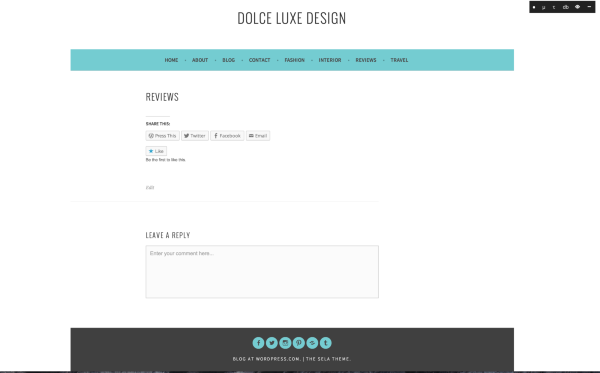
Do you see something different? If so, could you take a screen shot and show me what you see?
Here are the instructions for how to do that:
-
I see a leave a reply box on every page.
I also see:
You may use these HTML tags and attributes: <abbr title=””> <acronym title=””> <b><cite>
<del datetime=""> <i><q cite=""> <strike> I want my home page exactly like the sela demo. I dont want those boxes.
-
Could you send me a screenshot please? I’m not seeing what you see. Here are the instructions on how to do that.
-
It is in my media library. I see it in mobile mode but not desktop. I also do not want the leave a reply box

-
Thanks! the image was helpful. The code you see there is part of the reply box–it lets your readers know what kinds of HTML they can use in their comments. The good news is when you remove the reply boxes it will go away as well.
To remove the boxes from the pages you already have, start on your list of pages (linked below)
https://dolceluxedesign.wordpress.com/wp-admin/edit.php?post_type=pageHover over the title of each page and click “Quick Edit”
Uncheck the comments box, and then click update.
Do that for each page and post where you want to delete the reply box.
You can also prevent the box from appearing when you create new pages and post from your comments settings page. You can read more about your options below:
http://en.support.wordpress.com/settings/discussion-settings/
Let me know if you need anything else!


- The topic ‘Sela Theme’ is closed to new replies.
 WordPress.com Forums