

Sela Theme won't change header bar colour
-
weknityoucantoo.wordpress.com
I’m using the Sela theme, but my companies colours are a teal colour so I tried to change the default menu bar colour to one of the featured colour themes because that would change the menu bar to a shade of teal similar to the one I use, and I used a custom image for my background. Only when I save and publish, the background changes to my custom one, but the menu bar stays as the default Pink.
Is there something I’m doing wrong here? I can’t see any buttons to try.
The blog I need help with is: (visible only to logged in users)
-
That’s odd. I was able to save your custom background and choose the turquoise palette on my test site, as you can see here:
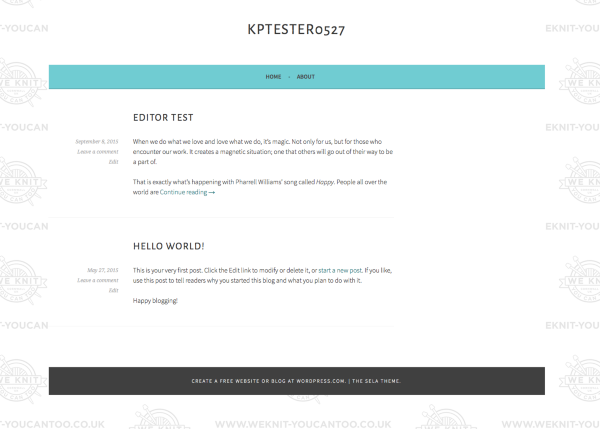
Would you mind giving it another try and let me know how it goes?
-
I just tried it again now, and the available colour options have changed, and one of them has a turquoise menu bar again, so I tried that one with my custom background, and it seems to have saved fine this time! Not sure what changed, but everything seems to be ok.
Thanks for your help!
-
If you were in Custom Design “trial” mode before (testing it out before purchasing a plan) that would have prevented you from saving your colour changes, so perhaps that’s what it was?
In any case, glad everything is working as expected now!


- The topic ‘Sela Theme won't change header bar colour’ is closed to new replies.
 WordPress.com Forums