selected theme not applied
-
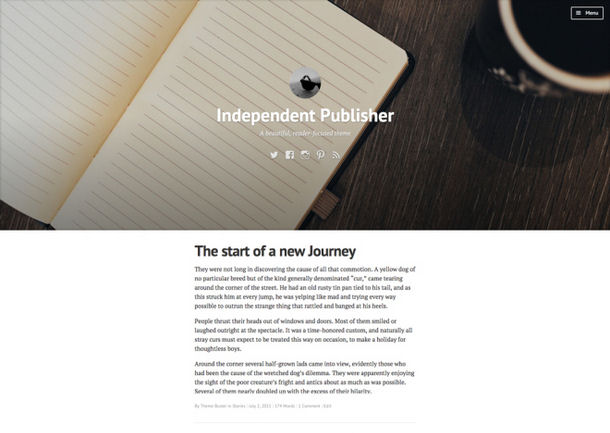
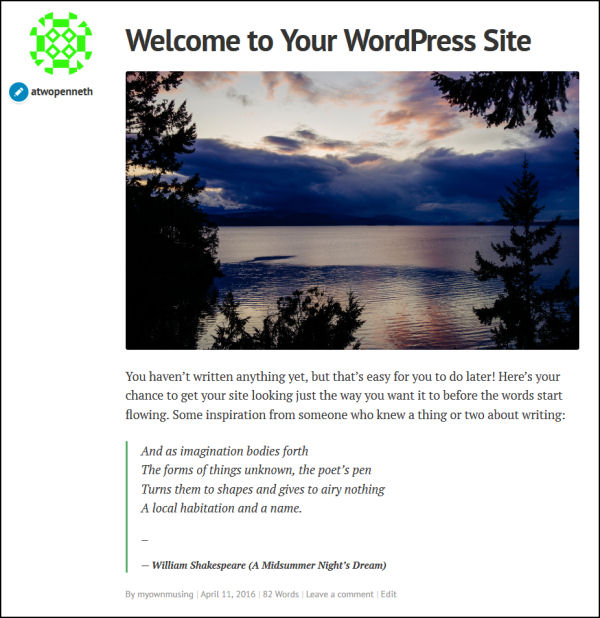
I selected “Independant Publisher” from the “Let’s get started” page, but something completely different has been applied.
How to i change it?
The blog I need help with is: (visible only to logged in users)
-
-
-
I’m not sure which part of the instructions you are referring to
All of them:
Custom Header & Featured Images
Gravatar Logo
Custom Menu
Social Links Menu
Slideout Panel
etc.
https://wordpress.com/themes/independent-publisher/Your need to use the cutomizer, here, per example:
https://atwopenneth.wordpress.com/wp-admin/customize.php? -
Unless i am missing something, I have been through all of the menu options in the customizer and can find nowhere to radically change the layout of the page.
For example:
I can change the main image, but i cannot change it to stretch the full width of the page and move to the back behind the writing.
I can change the title and other peices of text, but i cannot reposition them from the top left to the centre of the screen.
-
That image https://emcqs.com/wps01.jpg is an example.
And, please, read the instructions:Slideout Panel
When activated, your custom menu will appear in a slideout panel. Click or tap the menu icon in the header to display it.The slideout panel is displayed when a custom header is activated, or when the post has a featured image set. Otherwise, a dropdown menu is displayed instead.


- The topic ‘selected theme not applied’ is closed to new replies.
 WordPress.com Forums