

Setting up grid pages in Motif
-
I tried to set up a new page with the Motif Theme and selected grid page style. How do I set up the grids on this page?
The blog I need help with is: (visible only to logged in users)
-
Hi,
The motif demo page says: “This page displays the featured images, titles and excerpts of its child pages, arranged in a grid.”
http://motifdemo.wordpress.com/page-templates/grid-page/
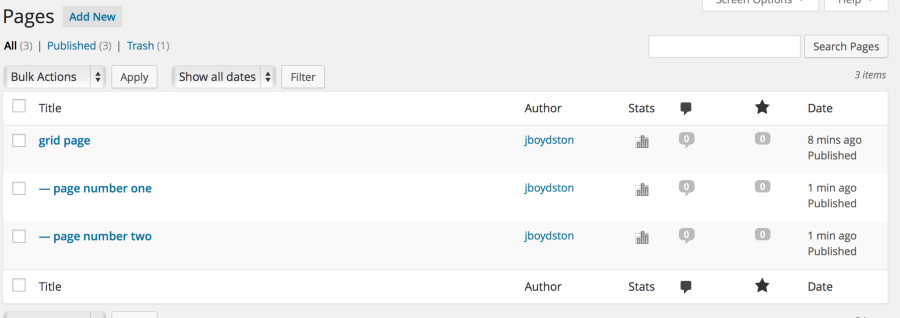
This means that the page that you created with the Grid page template is only the first step. Next, you need to create a separate page for each of the images that you want displayed in your grid. Each of these new pages should be a child of your grid page. Your Pages might looks something like this in the admin: (note the – character indicating child pages)
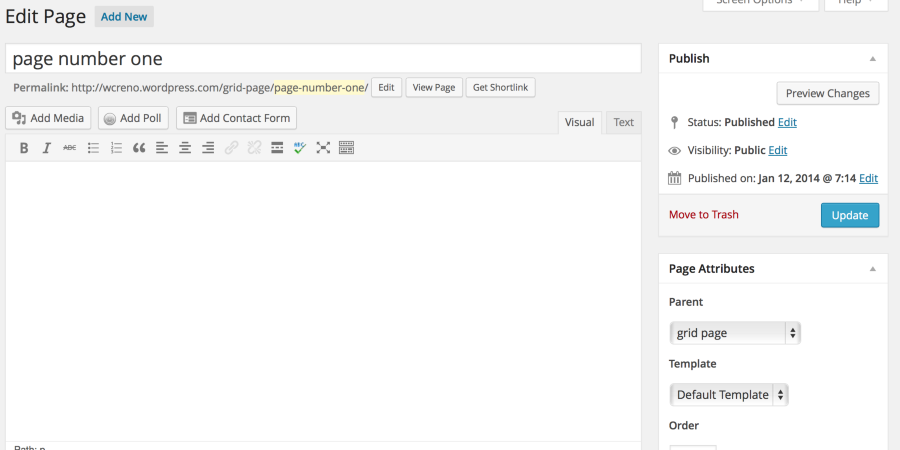
Here’s an example of a post with a page called ‘Grid Page’ set as it’s parent.
-
-


- The topic ‘Setting up grid pages in Motif’ is closed to new replies.
 WordPress.com Forums