

Sharing posts to Facebook and featured images
-
When I share my post to Facebook, the post is not showing the image from my post, but rather just the WordPress logo. It used to show the image attached to my post. I want to know how to correct this. Also, I would like to change what I think is the called ‘featured image.’ This is the image that is next to the blog name on the blog, and is also the image that appears whenever I insert a link to my blog. I’ve done it before but I can’t remember what it is called. I changed what I thought was the featured image but nothing happened. However, the first time I did this I remember it taking a while to change over. Thanks for any help much appreciated. xx
The blog I need help with is: (visible only to logged in users)
-
Hi Phoenix!
The latest post that I’ve found publicized to your Facebook is ‘Dreamings of You” shown here:
That particular post does not have a featured image. Using featured images that are larger than 300×300 is the best way to make sure Facebook shares the correct image. You can read more about that here:
http://en.support.wordpress.com/publicize/#images-in-publicize
Can you try setting a featured image for your next post and see if Facebook shares the correct image?
Regarding the image, it sounds like you’re describing your Blavatar, which is explained here:
http://en.support.wordpress.com/avatars/blavatars/
That’s currently the image that is shared alongside your blog address now on Facebook as shown here:
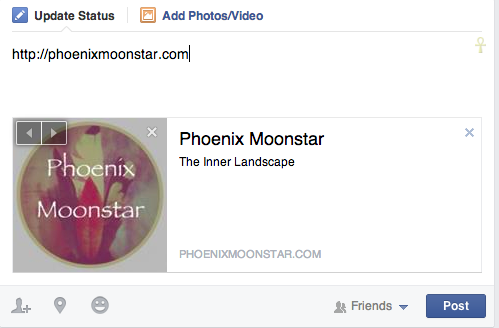
Is that what you’re referring to?


- The topic ‘Sharing posts to Facebook and featured images’ is closed to new replies.


 WordPress.com Forums