

Side bar smaller
-
Hi, I would like to change my side bar size to smaller, and the FONT also is too big. How can I do that?
How can I remove the icon that show when i click on categories?
How can I put the Facebook Icon and twitter nicely or at the end of the blog or at the beginning.
I put the Custom Design means I can change the look of the blog?
NEED HELP to do it for me….any phone number I can call?
THanksThe blog I need help with is: (visible only to logged in users)
-
Please see below!
I would like to change my side bar size to smaller, and the FONT also is too big. How can I do that?
It looks like you were already able to accomplish this through CSS. Do you have it looking how you would like it to look now?
How can I remove the icon that show when i click on categories?
Are you referring to this icon shown here?
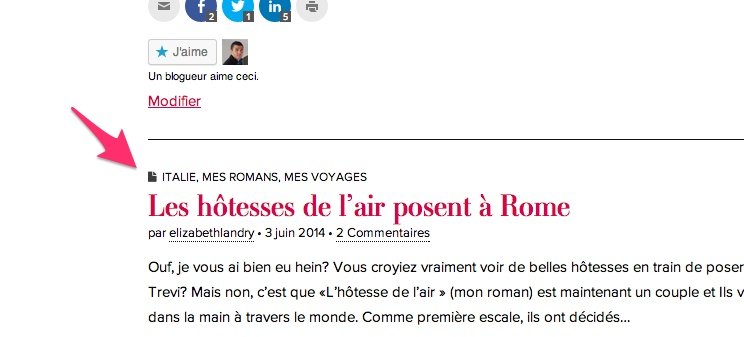
If so, this should do the trick:
i.fa.fa-file {
display: none;
}
Just input that under Appearance -> Customize -> CSS.
How can I put the Facebook Icon and twitter nicely or at the end of the blog or at the beginning.
The easiest way to do that is to use the Create Your Own widget tutorial here:
http://en.support.wordpress.com/widgets/create-your-own-widget/
We don’t currently offer support over the phone, but if you need anything else, please let me know! I’m happy to help.


- The topic ‘Side bar smaller’ is closed to new replies.
 WordPress.com Forums