

Sidebar only on homepage?
-
I’m using the Blissful Blog theme and I only want my sidebar with the widgets to show up on my homepage. Currently, it’s showing up on my “About” page. How do I delete the sidebar on the About page and add it to the Homepage?
My site is beautifulmessblog.com
Thanks!!
The blog I need help with is: (visible only to logged in users)
-
Hi there!
Sure! You can change the Visibility of your Widgets. Open up the widget by going to Appearance > Widgets in your Dashboard and then click on Visibility. Then set it to only show on your Front Page like this:
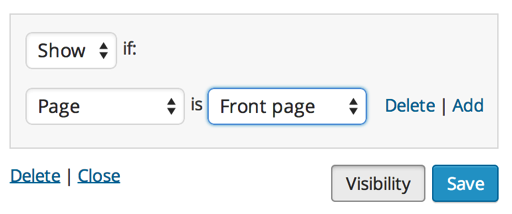
Do this for the rest of your widgets and you should be set!
Cheers!
-
Hi! Thanks for the info. I followed those steps and unfortunately, I cannot get to that screenshot you sent me. There is no option to switch the widget to the front page. When I go to edit each individual widget, wordpress just asks me what position I would like it in in the sidebar, i.e. “1,2,3,4,5”. There is no option for which page it will go on.
-
HI there,
You would have to open up an existing widget as seen here:
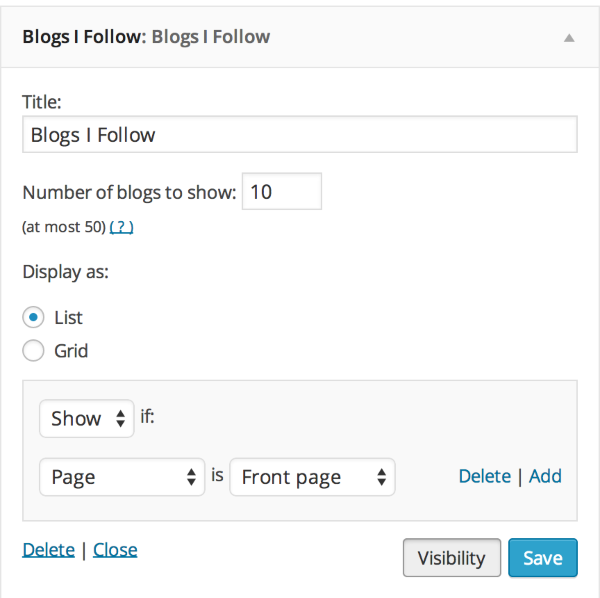
Then click on the Visibility button next to Save and that will show up.
Let me know if you still can’t find it!


- The topic ‘Sidebar only on homepage?’ is closed to new replies.
 WordPress.com Forums