

sign-up form
-
Dear Sir
I wanted to know in my earlier message ( dated Nov 06 or 07 ) how to create a sign-up form for my readers, in response to which I received a message on Nov 07, 2016 from someone named timethief who said : ‘ You can set up email subscriptions here > Appearance > Widgets > Follow Blog Widget by using this guide > http://en.support.wordpress.com/widgets/follow-blog-widget/ ‘.
Following his guidelines and instructions under the Follow Blog Widget , I’ve created a sign-up form with three boxes containing these texts : ( 1 ) ‘ Enter your first name here please. ‘ ; ( 2 ) ‘ Your e-mail ID, please. ‘ ; ( 3 ) ‘ Follow Button. ‘ But I’ve failed to make it ( i.e the said three boxes ) appear on the ‘ Home ‘ page of my site @ https://prakashrnp.wordpress.com/ . Please tell me how I can do it.
Regards
Prakash RnP
(email visible only to moderators and staff)The blog I need help with is: (visible only to logged in users)
-
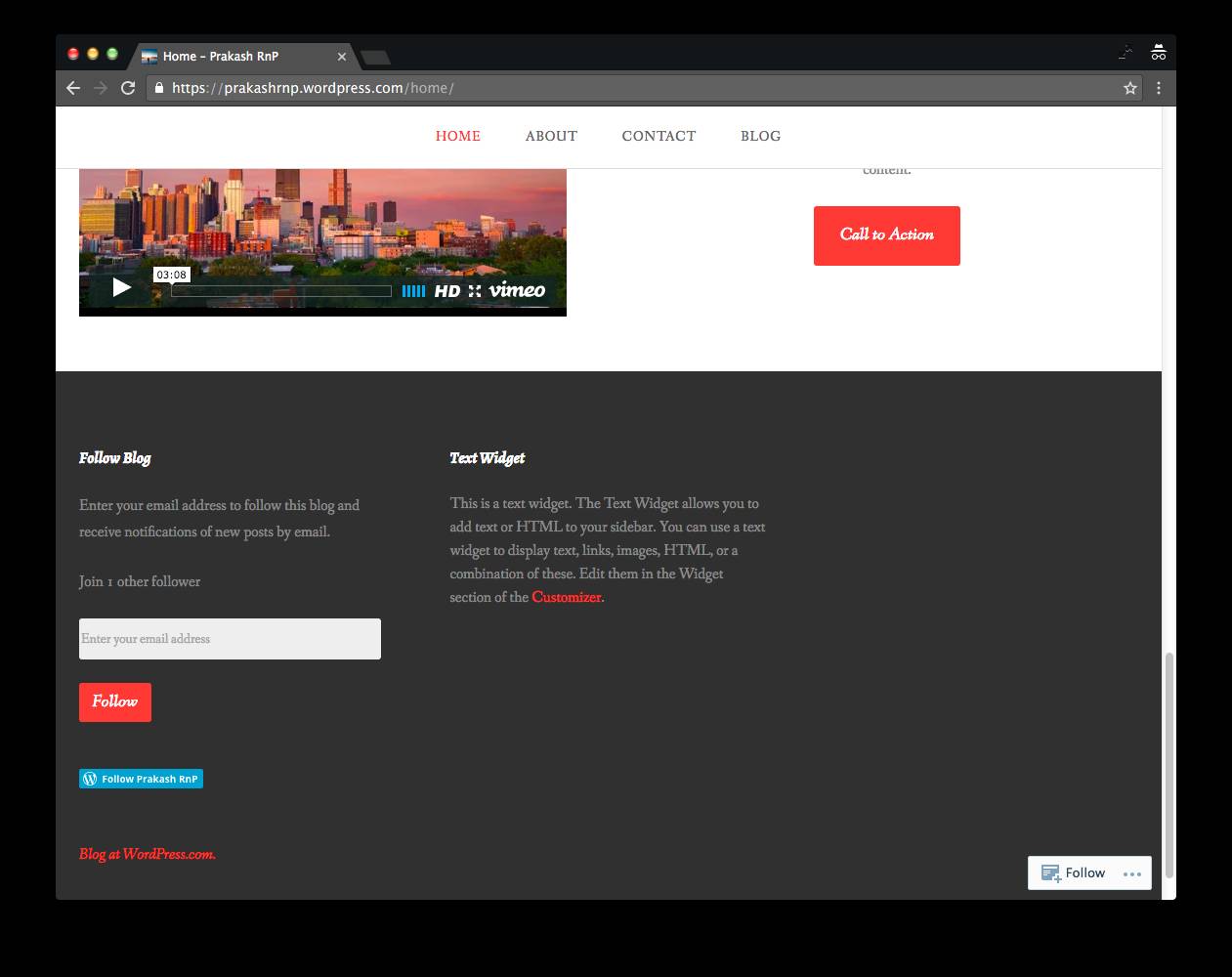
Hi @prakashrnp , it looks like you have two following widgets. When you’re logged in, they’ll just show a follow button. No need to enter a name or email address.
If you’re logged out, you’ll see a form.
I recommend removing one of the widgets, and changing the title to just “Follow site by Email” or something similar, since logged-in users won’t have to enter their name or address.
Let us know if you need more help with this!
-
Dear supernovia, I think I’d best start afresh. I want to create a sign-up form and make appear on the ‘ Home’ page of my website @ https://prakashrnp.wordpress.com/ . Earlier, with this end in view, I followed these steps : WP Admin>Appearance>Customize>Widgets> Follow Blog Widget . Now, after I’ve clicked on ‘ Widgets ‘, I’m shown three rows containing these texts : ‘ Footer 1 ‘, ‘ Footer 2 ‘, and ‘ Footer 3 ‘. Then, following the click on the row containing the text ‘ Footer 1 ‘, I see three rectangular boxes with these texts : ‘ Follow Blog: Enter your first name… ‘, ‘ Follow Blog: Your e-mail ID, please. ‘, and ‘ Follow Button ‘. Now, tell me what steps am I to follow.
-
Dear supernovia, have a look at my ‘ Home ‘ page @ https://prakashrnp.wordpress.com/home/ , will you ? I’ve inserted a form by clicking on the icon ‘ Add Contact Form ‘ . Is it OK ? I’d be glad if I could make the texts ‘ Enter your first name, please. ‘, etc appear inside boxes below them and the ‘ Submit ‘ button disappear. Could you tell me how I can do these tasks ?
-
Sure. Here are the steps:
1) Go to My Site > Customize > Widgets > Footer 1
2) Click on “Follow Blog : Your e-mail ID…”
3) Click Remove
4) Click on the other “Follow Blog” box
5) Change the title to just “Follow Blog” if you’d like.
6) Save the changes
7) Log out
8) View your website; click refresh
9) You will see a form for logged-out users
If you have questions beyond that, let us know.
-
Dear supernovia, I just want to create a sign-up form meant for my website visitors and make it appear on the ‘ Home ‘ page of my site @ https://prakashrnp.wordpress.com/home/ . I’m not computer savvy. Do you think your reply is really helpful for me ?
-
I hope those step-by-step instructions were helpful. The follow widget looks correct now. If someone is already logged in, they can follow by clicking follow.
If they are not logged in, they will see a form where they can enter their email.
-
I don’t understand how I can create a sign-up form meant for my website visitors and make it appear on the ‘ Home ‘ page of my site @ https://prakashrnp.wordpress.com/home/ .
-
-
-
-
-


- The topic ‘sign-up form’ is closed to new replies.
 WordPress.com Forums