

site name reads incorrectly when click fb button on my front page.
-
click fb button on my blog site front page, i expect to see my site name “Let’s Percolate” with tagline ‘filtering for and sharing…” on a fb page so that i can share. The fb share page reads” Noteworthy” tagline “the whitehatters ….” . How do i get the correct blog name to appear on fb?
The blog I need help with is: (visible only to logged in users)
-
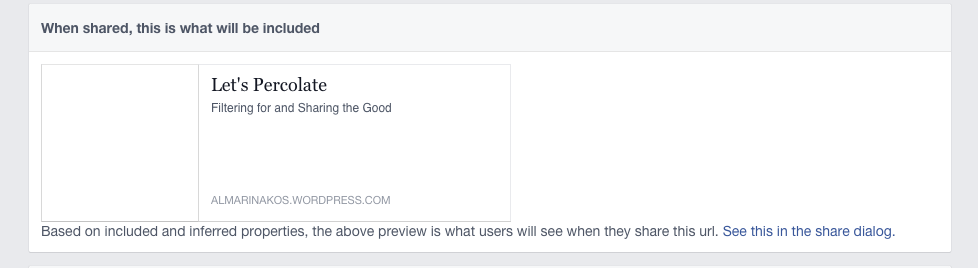
It sounds like you’re asking about what Facebook displays when your site is shared. If your site previously had that information as its title and tagline, Facebook may have cached it. I’ve run your site URL (https://almarinakos.wordpress.com/) through they’re debugger here:
https://developers.facebook.com/tools/debug/og/object/
Your current headline and tagline should now be displayed on Facebook:
By the way, there is an issue with the Facebook icon on your home page, here:

That icon links to this URL:
https://www.facebook.com/https://www.facebook.com/pages/Talking-About-You/1575136372737688/This URL is actually not functional at the moment. You can adjust it by opening up your Customizer, going to the widgets tab, and editing the “Social Links” widget. In the Facebook username field, you currently have this:
https://www.facebook.com/pages/Talking-About-You/1575136372737688Change it to this:
/pages/Talking-About-You/1575136372737688… and the Link will correctly lead to that facebook page.
-


- The topic ‘site name reads incorrectly when click fb button on my front page.’ is closed to new replies.
 WordPress.com Forums