

Site not showing up in any browser
-
I am running Mac OS X and I cannot get my site to show up in chrome, firefox or safari. I have cleared the cache and cookies several times. It may show up for a few minutes after clearing the cache but then stops working again. It’s the same issue with ALL THREE browsers, the page is constantly trying to load.
The blog I need help with is: (visible only to logged in users)
-
Hi there,
This is strange. I am also on a Mac, and it is working on all three browsers as seen here:
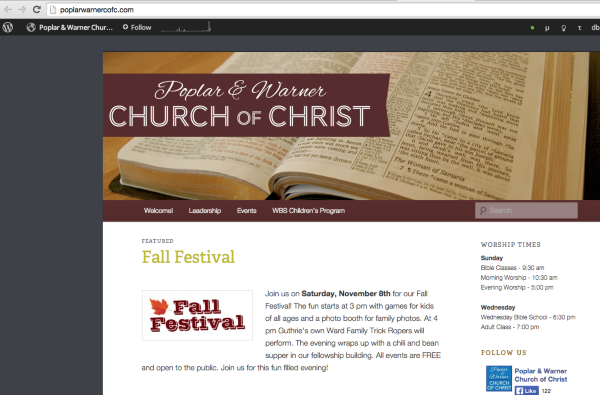
When you say it will show up for a few minutes and then stop working, can you explain what that means?
Does your site load on a different computer? Also does it load when you’re in a different location – like a coffee shop or library?
Please let me know!
-
When I say it works for a few minutes then stops. I mean after I clear the cache the site will load and then after about 10 minutes if I try to refresh or go to another page it will just sit there and try to load. (i.e. in chrome the icon just keeps spinning, trying to load.)
It works on my phone… I’m on a desktop so I can’t travel, but I’ll check with neighbors and see if they can get it to work. I’m wondering if this isn’t my internet provider.
-
-
-
Do you have third party cookies disabled by any chance? You can check here:
If you do, this can cause issues loading WordPress.com sites with custom domains since we use third party cookies to keep you logged in when you’re not visiting WordPress.com directly.
Here are some steps you can take to keep third party cookies disabled, but allow them on WordPress.com:
Let me know if you’re still having trouble loading your site after checking your third party cookies.
-
I went to the first link:
“Great, third party cookies are properly enabled in your browser!”
-
Thanks for checking that out! You said you’ve cleared your cache and cookies and it always comes back. Can you please try logging out of WordPress.com completely, and then clearing your cache and cookies?
-
Ok, hello I’m back. I did the logging out and clearing my cache and cookies, and it worked. Yippee! But now just a few weeks later the problem is reoccuring. This cycle keeps happening. Surely I don’t have to clear my cache and cookies EVERY time?
-
You don’t need to clear your cache and cookies every time. Do you shut down your computer on a regular basis? Or quit your browser?
Or, do you notice this happen specifically after visiting a particular location, like every time you use your computer at your local library?
-
I quit my browser daily, and shut down my computer every week or so. It’s a desktop, so I only access the site from home. Could this be something with my internet provider?
-
Its possible. Can you tell me what ISP you use?
Can you try disabling IPv6? Here are some directions for doing that:
-
-
-
I get to step 7 (Enter the IPv6 address, router address, and prefix length you received from your network administrator or Internet service provider. Your router address may be referred to as your gateway address by some ISPs.) and I have no idea what that address is. I guess I need to call my ISP and ask.
-
Whoops! I forgot about that. I should have clarified. As long as your setting in Step 6 is set to “Automatically” you should be okay.
-
-
Thanks for doing that! Do you have this problem with any other sites?
Can you try visiting these sites and let me know if you have the same problem:
-
It appears to be working again. Yes, I can get those other sites to show up. (But previously I could not.) This is very strange!!!!
-
Interesting. It sounds like you’re possibly running into an issue with your ISP. If this happens again, will you visit the sites I linked to below and let me know how it goes?


- The topic ‘Site not showing up in any browser’ is closed to new replies.
 WordPress.com Forums