

Size of Featured Image
-
I am using the “Suits” theme, and I want my featured images to display 1200px in width.
It seems the html contains
<img width="620" height="197" src="http://robertandgisele2.files.wordpress.com/2014/01/engagement-cropped.jpg?w=620" class="attachment-post-thumbnail wp-post-image" alt="engagement-cropped">, which means that even though I change the CSS the picture still remains 620px in width.How can I prevent this? Is there a setting in the Suits theme, or else a CSS override?
Many thanks.
The blog I need help with is: (visible only to logged in users)
-
Hi there,
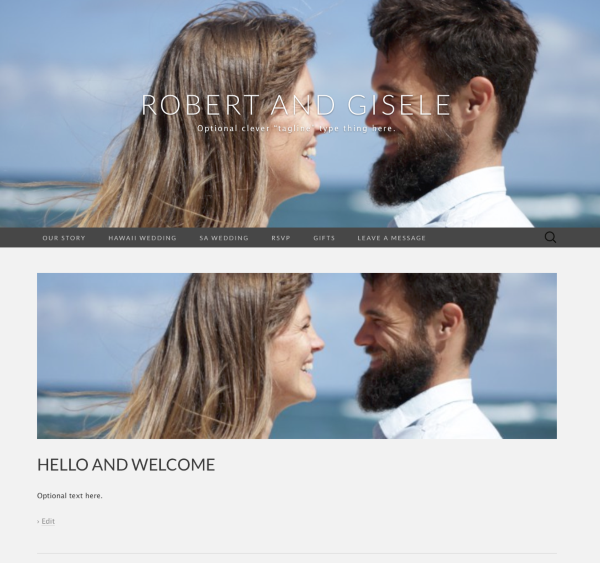
You won’t be able to update the width of the featured image, as its defined by your theme. Perhaps a better solution would be to use a custom header image, and then make the image use the full width. Here’s an example:
.site-header {
-webkit-background-size: cover;
-moz-background-size: cover;
-o-background-size: cover;
background-size: cover;
}
.site-header .home-link {
padding: 150px 0;
text-shadow: 0 1px 2px rgba(0,0,0,0.4);
}
.site-description {
color: #fff;
text-shadow: 0 1px 2px rgba(0,0,0,0.4);
}
The above CSS will stretch your custom header image to fill the screen width. To make your site’s title and tagline easier to read, I’ve made them white and given them a drop-shadow. Here’s an example of how it would look:
I hope this helps. Let me know if you have any questions.


- The topic ‘Size of Featured Image’ is closed to new replies.
 WordPress.com Forums