slider not working
-
the slider is not working, I’ve tried the featured tag and written blog posts but nothing is working. what should i do?
The blog I need help with is: (visible only to logged in users)
-
Hi there,
The Dyad 2 theme demo is set up to display blog posts on the front page.
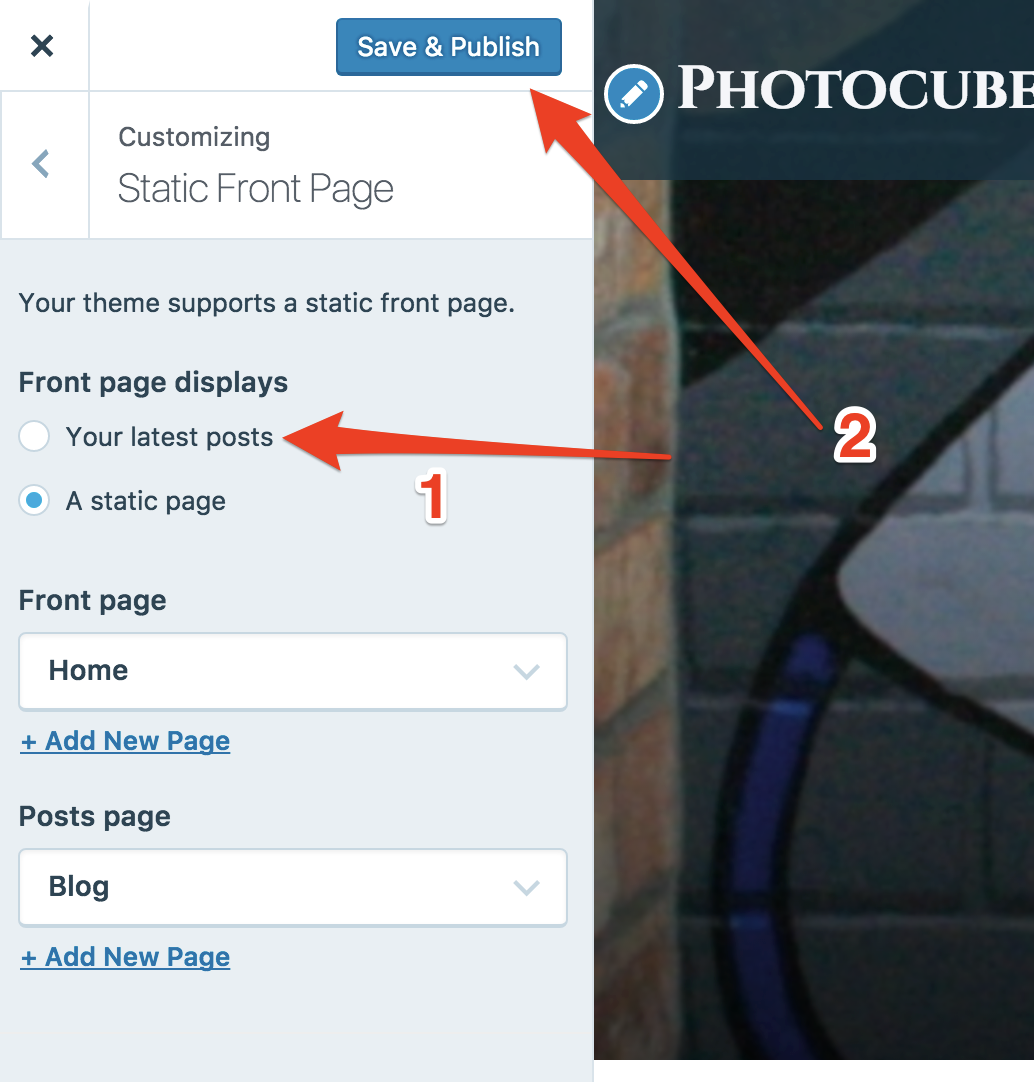
Once you set yours to do the same, you will be able to have the slider.To do that, visit My Site > Customize > Static Front Page. Next, click the bubble next to Your latest posts. Click the blue button to save your changes.
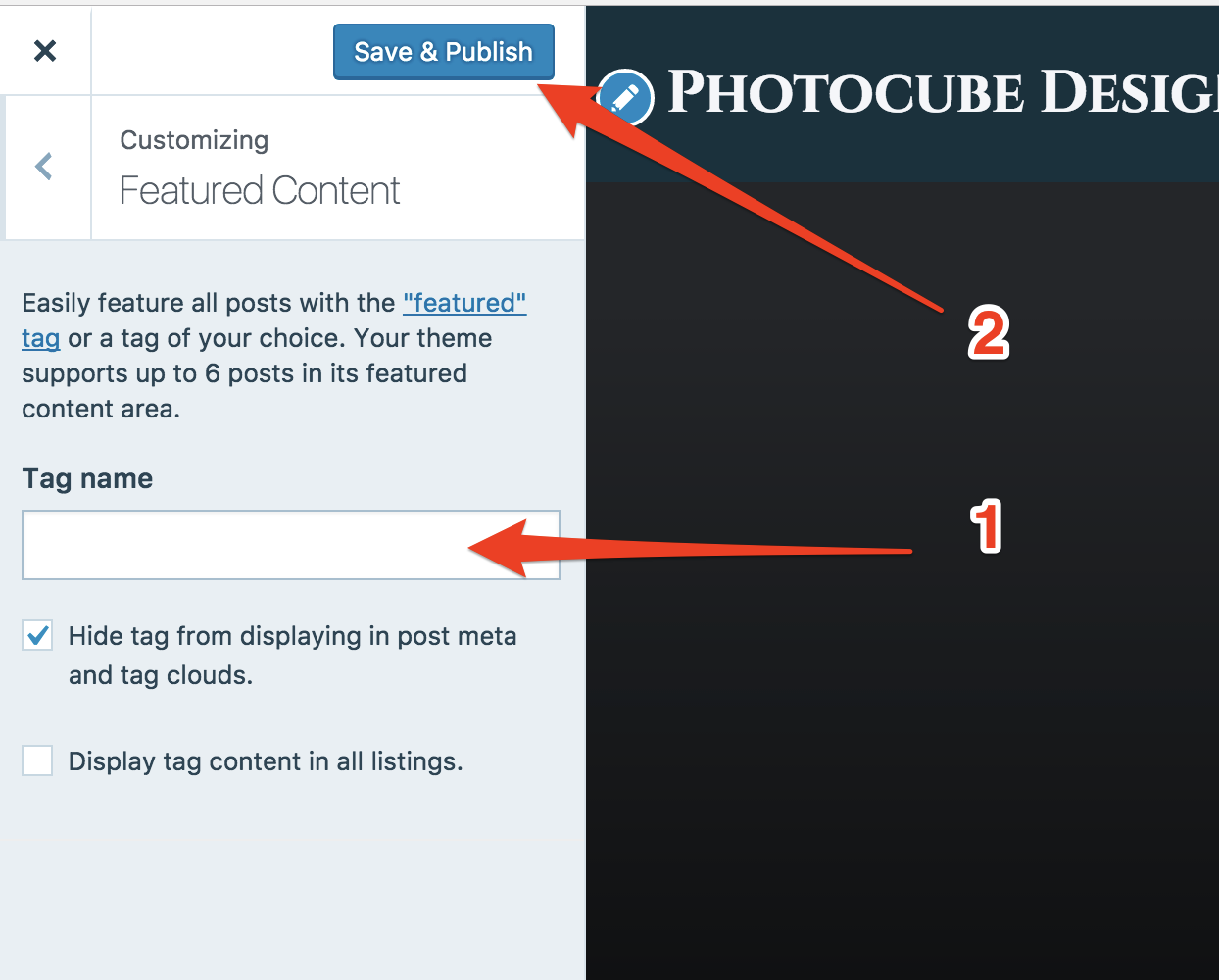
Next, head back over to the Featured Content section at My Site > Customize > Featured Content. You’ll need to enter the tag you want to use for your featured posts there. Save the changes again. When you do that, the slider will appear.
-
Hi, thank you for the suggestion but I did both of them and still it wasn’t appearing. Can you think of another reason why it is happening?
-
Hmm, I’m still showing the settings as they were earlier.
Could you click the bubble next to Your latest posts, and click the Save & Publish button as shown here?
Next, type featured into the field as shown here, and click the save button.
You currently have two posts with the featured tag. Both will appear in the slideshow, but the Product Design post needs to have a featured image added.
-
-
@photocubedesign,
The site https://photocubedesignsdotcom.wordpress.com/ is still displaying a static page, rather than your latest posts, on the front page. You might want to try the following instructions, from @dcoleonline, on a different browser — or update the present browser and try it again:
Could you click the bubble next to Your latest posts, and click the Save & Publish button as shown here?


- The topic ‘slider not working’ is closed to new replies.
 WordPress.com Forums