

Slides in the Demo not replicated
-
The Theme demo showed slides on the Home Page. How do I create rotating slides on the home page of this site? FRUSTRATING.
The blog I need help with is: (visible only to logged in users)
-
Hi there,
Sorry for the frustration! If you haven’t seen it yet, the Stay theme page has details about how to set up its unique features: https://wordpress.com/themes/stay/
To set up the slider on the home page, you can create new pages (or use existing pages on your site) and give each page a featured image that’s at least 960 pixels wide.
Then, you can open the Customizer (you can use the “Customize” link on your My Sites page) and in the Home Slider section choose up to 6 pages to feature in that slider.
Please let me know if I can do anything more to help with that!
-
In my customize section I don’t have a home slider option. The words “home slider” don’t exist there.
-
Hello there!
Can you please double check by going to Appearance -> Customize in your admin panel:
https://liveinloveretreat.wordpress.com/wp-admin/customize.php
On the right menu, there should be a menu item called “Home Slider”. Here’s a screenshot of it:
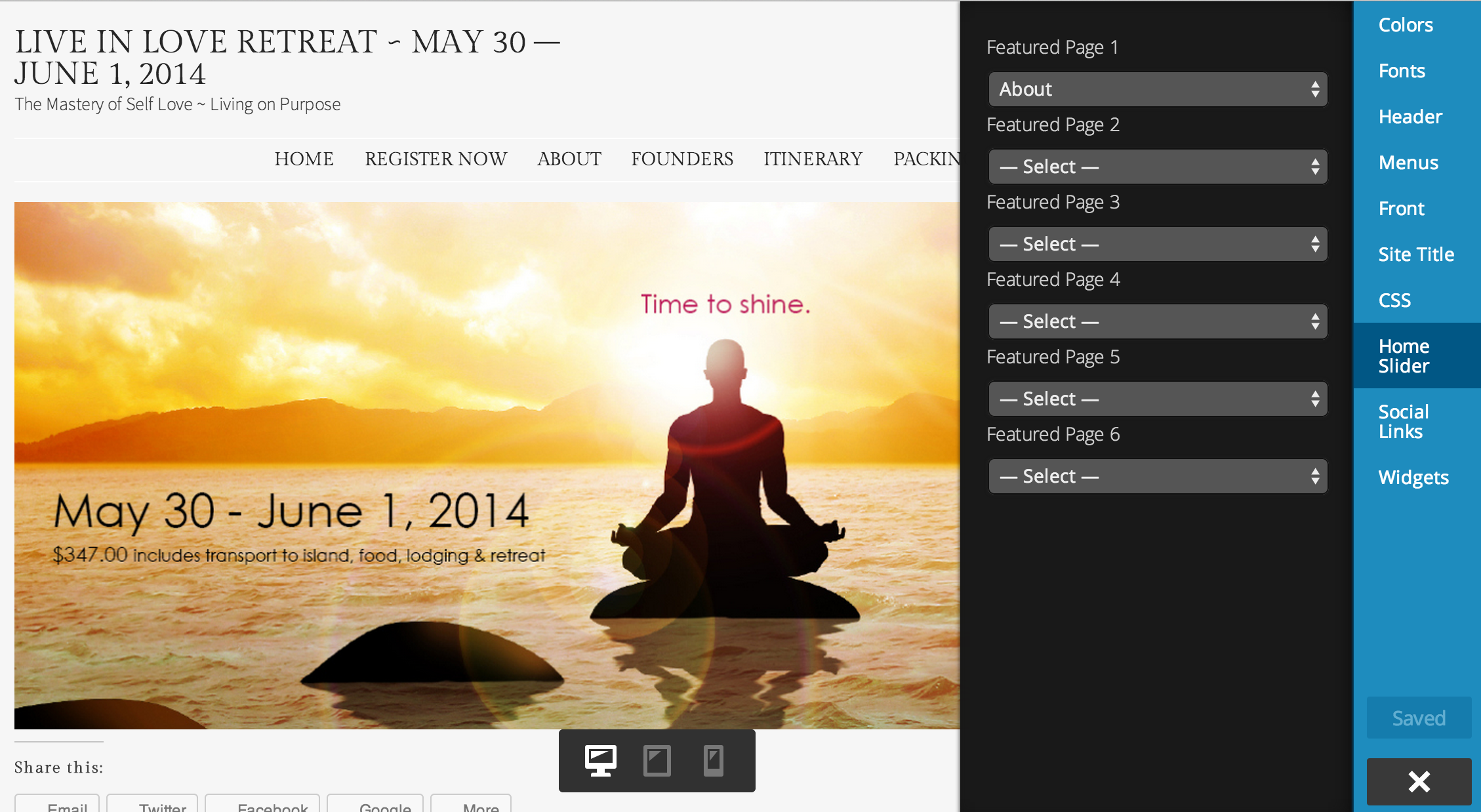
Please let me know if you’re seeing things differently on your end. Thanks!


- The topic ‘Slides in the Demo not replicated’ is closed to new replies.
 WordPress.com Forums