

Social Icons Don't Show Up (Minnow)
-
When I opened my site using customizer, the social icons appears successfully.
http://i.imgur.com/4jx3YV8.png
But that doesn’t seem to be the case on the actual site, and I have no idea why.
http://i.imgur.com/EKeQ0ER.pngAny input?
The blog I need help with is: (visible only to logged in users)
-
I wasn’t able to replicate your screenshot on my test site with a social links menu and using the dark featured colour palette – the social links appeared correctly as you can see here:
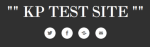
I would be glad to troubleshoot this further if you’d be able to switch your theme over to Minnow so I can take a look directly. Let me know if you would like to go ahead.
-
I’m sorry, I’m having difficulty in navigating the forum. I can’t find my own thread.
It’s weird. I’ve checked the links and it’s correct. It just doesn’t show up. I’ve changed my theme to Oxygen for other reason. LinkedIn icon shows up but the Facebook one doesn’t. I thought it has something to do with my FB privacy so I set that public, but it doesn’t show.
Could you check my site again? The address is the same. I put social media widget on the primary sidebar (the left one).
Thank you.
-
Ah, thanks for specifying that you are using the social links widget, and not the social links menu built into the theme.
I’m seeing both Facebook and LinkedIn icons fine in Firefox 38.0.5, with your site running Oxygen: https://cloudup.com/cbPD5w9Ek1m
I checked Chrome 43.0.2357.130 as well, and it’s fine there too.
Could you tell me what browser and version you’re using?
Would it be possible to send along a screenshot (JPEG, PNG or PDF format, if possible) to help in troubleshooting?
Here’s a guide on how to make a screenshot, if you’d like to help: http://en.support.wordpress.com/make-a-screenshot/
You can upload the screenshot – in a graphic format like JPG, PNG, or PDF – in your Media Library so I can see it. Thanks.


- The topic ‘Social Icons Don't Show Up (Minnow)’ is closed to new replies.
 WordPress.com Forums

