

Social links block doesn't center
-
Hi, i have a problem with the social links block. Well, while i’m editing, the block correctly centers when i chose the center alignment option, but as soon as i preview or publish my article or page, the block aligns left. I can’t center the block or align it on the right. The style chosen doesn’t change anything neither. Seems like a bug to me, because even with the “pill shape” style, the block is left-aligned but icons are one over the other and they don’t have a pill shape, they are wide bands.
Centered in editor mod :

In preview :

I can fix the problem by modifying the code, but it’s not convenient at all, so i wanted to know if the problem comes from me? Maybe my blog’s theme (Baskerville 2)?
I know it’s also the case with Spotify link preview, i can’t center them unless modifying the code.
Does someone know what is the problem?Thank you!
The blog I need help with is: (visible only to logged in users)
-
Hi @underratedkoreanartists, could you send a few more details? I’ve looked at your site in a few different browsers, and I see normal social icons. Could you send a link to an affected page or post?
Also, let us know what browser you’re using. And, if the post looks fine but just not on preview, send a few more details so we can duplicate what you’re seeing. Thanks!
-
Hi,
I think the ones you saw are the ones where i modified the code to have it centered and in some articles it’s left-aligned so there is no problem with the “one over the other” + wide band.
For example :
– centered but doesn’t work: https://underratedkoreanartists.wordpress.com/2020/07/04/ckjpopnews-swan/
– left-aligned:
– “centered” (i add a marge) because i changed the code:I use chrome and opera gx and it’s the same for both navigators.
And they just look fine when editing, otherwise it’s not.
Hope i gave you enough details!
-
Thanks @underratedkoreanartists. If you go to this page:
https://underratedkoreanartists.wordpress.com/wp-admin/themes.phpPick Spearhead and choose preview, then navigate to a post that has a problem. Do you see the same issue? You won’t need to activate the theme; I just want to confirm this is a theme issue. The fact that it looks fine in editing but not on the live site points to that, too.
-
Ah actually I just copied your block to my test site and then changed themes.
We’ll need to do more testing on this, but will get the issue reported. Thank you! Please go ahead and use your margin workaround for now, or you could try creating a “group” and putting margins on that.
-
Ah yes, i tried too and it works fine with this theme.
Could you go on with this “group” idea please? I dont know what you are talking about and it could probably help me.
Thank you for your help and fast replies!
-
Hi there,
I’m not exactly sure what @supernovia was referring to with the “Group” option, but I think she was pointing out that you can place any block (or blocks) in a group, and that group has it’s own margin options in addition to the ones the social media block provides.
However, after a closer look I see the issue with your site. I’ve reported it to our developers, but so that you don’t have to wait I have added the following CSS code to your site, which fixes the issue
.wp-block-social-links.aligncenter{
    display: flex;
}
You can see here the centered buttons now appear correctly on https://underratedkoreanartists.wordpress.com/2020/07/04/ckjpopnews-swan/
Hope that helps. Please let us know if you have any more questions.
-
Hi,
Thank you so much for this, now i can center this block!
I just noticed that i have the same problem for embarked youtube video and spotify links. Maybe it’s the same for all kind of multimedias from a link.
Could be the same problem about the theme. Could something fix this too?
Thank you
-
Hi there,
I see example of Spotify embed here, it is really too narrow: https://underratedkoreanartists.wordpress.com/2021/05/08/playlist-mai-2021/
But I do not see narrow youtube embeds, they all are same width as text. Could you please give an example?Despite Spotify block has a menu to adjust width (alignment icon in the Block toolbar, which works only in Post editor window) the actual visual width of Spotify block is always 300px in preview.
The Spotify block itself changes its width (wp-block-embed-spotify) in preview according to set alignment parameter, but inner iFrame block has inline width parameter always set to be 300px.So this one helps to make wider Spotify embeds, but it is a temporary solution:
/*Change Spotify iFrame width to 100% of parent container*/ iframe { width: 100%; } -
Hi,
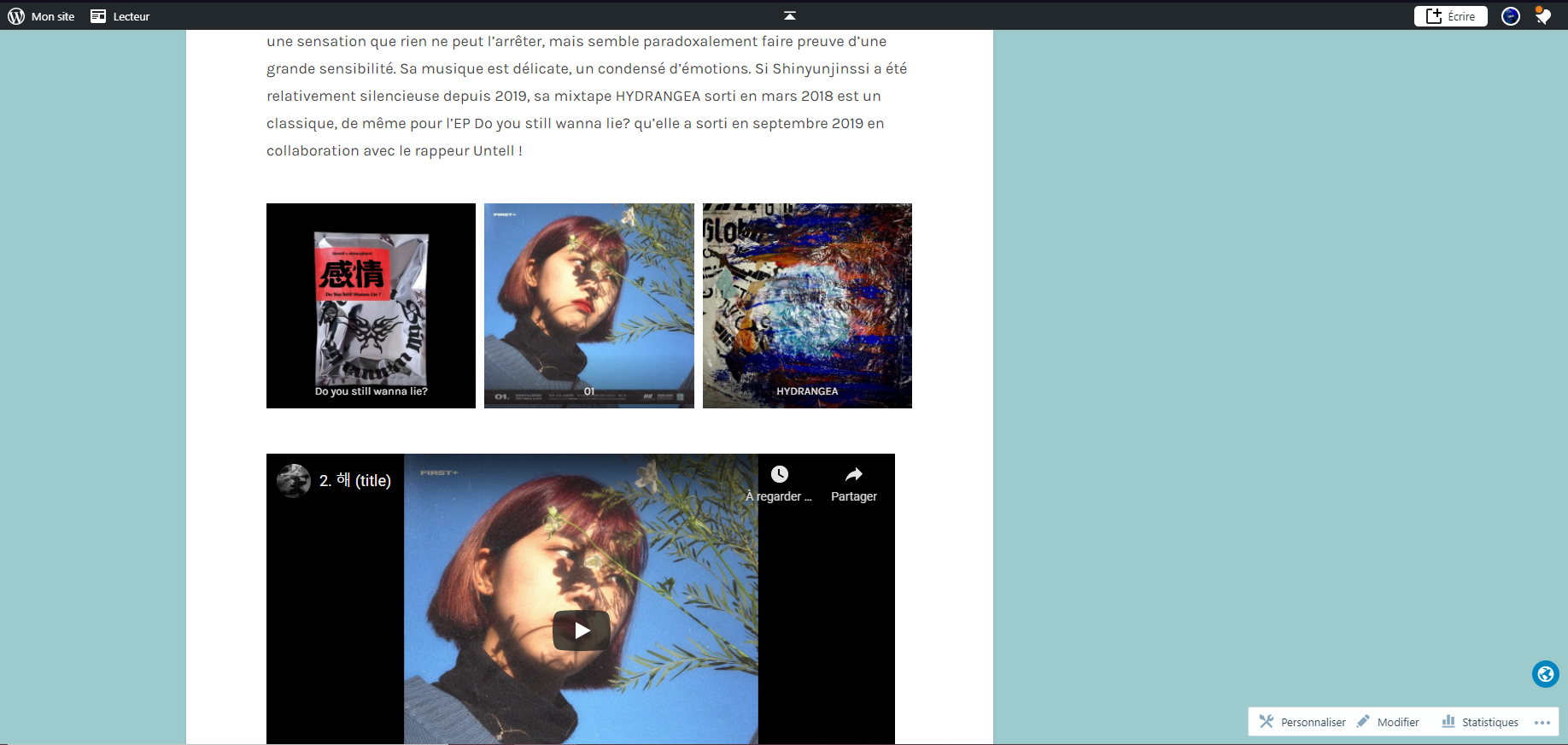
For the youtube embed, it is not a problem with my article which contain only text and youtube videos, but i’m writing an article with a larger variety of blocks these days. I put a youtube video after a block called “maçonnerie” and it aligns weirdly in preview (i don’t have the published version since i’m working on it) but it’s fine while editing
In preview:
Thanks for the information about the spotify embed, how should i put these lines? In “additional CSS” when clicking on the block?
-
Oh, am sorry I did not mention.
It is possible to add custom CSS only in Premium plan or higher.
To access the CSS editor, go to My Site → Appearance → Customize → Additional CSS→ Add the code I have provided below.
More info about adding custom CSS is here:
https://wordpress.com/support/editing-css/


- The topic ‘Social links block doesn't center’ is closed to new replies.
 WordPress.com Forums