

Social Media Icon
-
My theme:
Baskerville 2Trying to add social media icons to show up underneath my header. I figured out how to do that. BUT when I do that, my social icon full link and address appears in the menu bar as well along side of Home/About/ Is there a way to display the FB and Instagram icon without it being in 2 places on menu? Does that make sense?
The blog I need help with is: (visible only to logged in users)
-
I finally figured it out by following along with the video. Not sure why it wasn’t working before. That’s what I get for trying to work on my site at 3 a.m.!
Here is another question I have. Can I customize it to where it will pop up in another tab instead of completely having them leave my wordpress website when they click on the link?
-
Yes, you can set a custom menu item to open in a new tab/window.
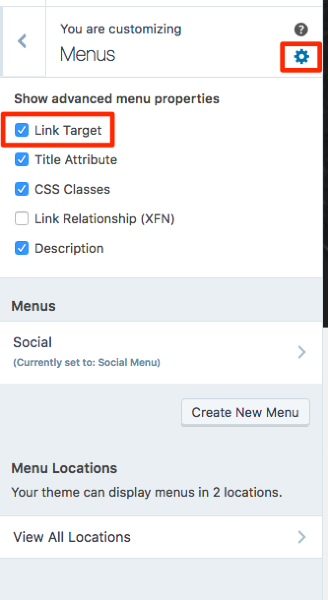
In your Customizer‘s Menus panel, click the gear icon to open the advanced options, and make sure the “Link Target” option is checked.
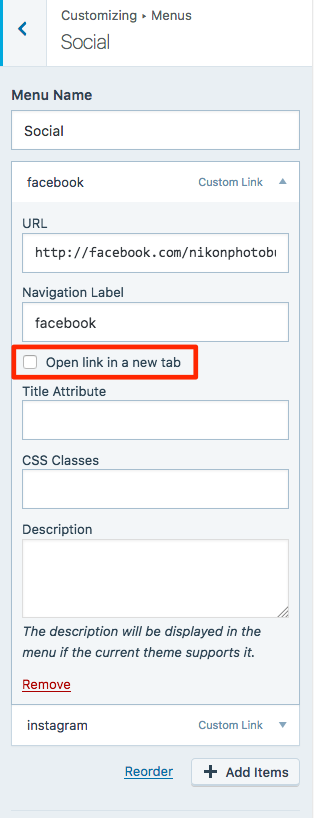
Then, on each menu item, check the box to “Open link in a new tab”:


- The topic ‘Social Media Icon’ is closed to new replies.
 WordPress.com Forums